

Every time you unlock your smartphone, browse a website, or interact with an app, an invisible intelligence is watching, learning, and adapting to you. This is interface-ai in action—technology that transforms static digital experiences into dynamic, personalized environments that evolve with each interaction.
Traditional interfaces treat every user identically, forcing millions of people through the same rigid pathways regardless of their needs, preferences, or abilities. AI-driven adaptive interface design breaks this mold by creating digital experiences that respond in real-time to individual behavior patterns, skill levels, and goals. When a fitness app notices you consistently skip cardio workouts and rearranges your dashboard to highlight strength training, or when a productivity tool recognizes you work best in the evenings and adjusts notifications accordingly, you’re experiencing adaptive interfaces at work.
This technology operates through sophisticated machine learning algorithms that analyze user behavior data—clicks, navigation patterns, time spent on features, and task completion rates—to make intelligent predictions about what each person needs next. The system continuously refines its understanding, creating interfaces that feel increasingly intuitive and effortless over time.
For technology enthusiasts and AI beginners, understanding adaptive interfaces opens a window into how artificial intelligence is reshaping our daily digital interactions. Rather than forcing users to adapt to technology, these systems flip the script, making technology adapt to us. The implications extend far beyond convenience, touching accessibility, productivity, and the fundamental relationship between humans and machines in an increasingly digital world.
What Is Interface-AI? Breaking Down the Basics

The Building Blocks: How Interface-AI Works Behind the Scenes
Think of interface-AI as a digital assistant that learns from watching you work, much like a thoughtful friend who remembers your coffee order after a few visits. At its core, three key technologies work together to make this possible.
First, machine learning acts as the brain of the system. Imagine teaching a child to recognize different animals. You show them pictures, they make guesses, and over time they get better at distinguishing a cat from a dog. Interface-AI does something similar with your digital behavior. It studies thousands of user interactions, learning which buttons people click most often, which menu layouts cause confusion, and which color schemes help users complete tasks faster.
Next comes user behavior tracking, the system’s eyes and ears. Every click, scroll, pause, and navigation path becomes a data point. Picture leaving footprints in sand as you walk along a beach. These footprints reveal your path, where you hesitated, and where you moved confidently. Interface-AI collects these digital footprints to understand how people actually use an application, not just how designers think they should use it.
Finally, pattern recognition connects the dots. This technology identifies recurring behaviors across users. For example, if ninety percent of users abandon their shopping cart at the payment screen, the system detects this pattern and might suggest simplifying that particular interface. It’s like a shopkeeper noticing customers consistently struggling with the door handle and deciding to replace it.
Together, these three technologies create a continuous feedback loop: observe, learn, adapt, and improve. The interface evolves based on real user needs rather than assumptions.
Real-World Magic: Where You’re Already Using Interface-AI
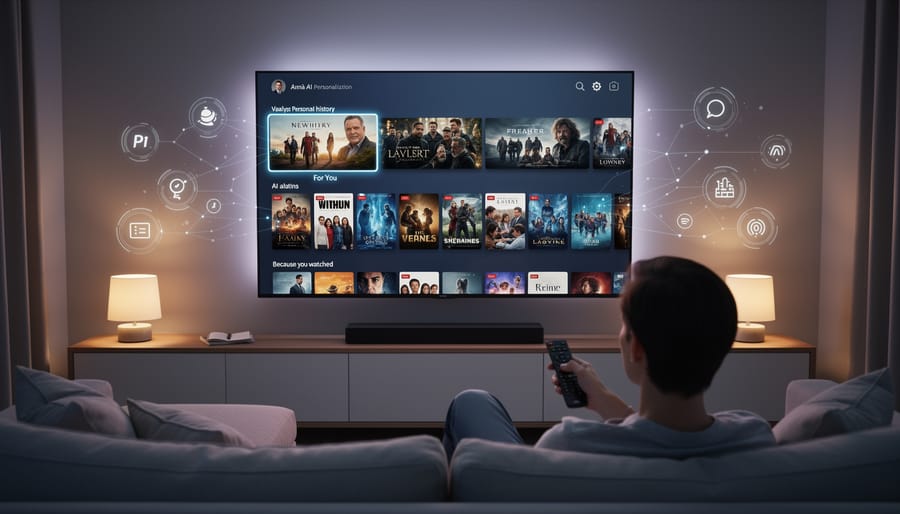
Streaming Services That Know What You Want to Watch
Ever noticed how Netflix seems to know exactly what you’ll want to watch on Friday night? That’s adaptive interface design in action. When you open Netflix, the categories, thumbnails, and recommendations you see are uniquely yours, powered by machine learning algorithms that analyze your viewing history, watch time, and even when you pause or rewind.
For example, if you’ve been binge-watching crime documentaries, Netflix will surface similar content in prominent rows near the top of your homepage. The platform even changes the artwork for the same show based on what appeals to you. If you watch lots of romantic comedies, you might see an image highlighting the love story aspect of a drama series, while action fans see explosive scenes from that same show.
Spotify operates similarly with its personalized playlists like Discover Weekly and Daily Mixes. The interface adapts by analyzing your listening patterns, skip rates, and the time of day you typically listen to certain genres. Morning commuters might see energizing playlists featured prominently, while evening users get recommended relaxing acoustic tracks. These platforms continuously learn and refine their interfaces, making each user’s experience feel personally curated.
E-Commerce Sites That Rearrange Themselves for You
Online shopping platforms have become remarkably intuitive at predicting what you want to see. When you browse Amazon, the homepage you see is completely different from what another shopper sees, even if you’re both looking for electronics. The platform tracks your clicks, purchase history, and even how long you hover over certain products to rearrange product displays in real-time.
Netflix-style recommendation engines have migrated to retail, but adaptive e-commerce goes further. Shopify stores now use AI to modify their entire navigation structure based on individual behavior. If you frequently browse sustainable products, those categories automatically move to prominent positions in your menu bar. Search results reorder themselves too, prioritizing items that match your size preferences, favorite brands, and price range without you manually filtering each time.
Fashion retailers like Stitch Fix take this personalization deeper by adjusting their visual layouts. Frequent mobile shoppers might see larger product images and simplified checkout flows, while desktop users get detailed specification tables. These subtle interface shifts happen invisibly, creating a shopping experience that feels custom-built for each visitor’s habits and preferences.
Smart Apps That Adapt to Your Work Style
Modern productivity applications are getting smarter at recognizing how you work. Think of your email client that automatically sorts messages based on which ones you typically open first, or a project management tool that rearranges your dashboard to highlight the features you use most frequently.
These adaptive apps track your behavior patterns without being intrusive. For example, a text editor might notice you frequently switch between two specific formatting styles and create a quick-access button for that combination. Calendar applications can learn your meeting preferences and suggest optimal times based on when you’re typically most productive.
The real magic happens when these tools start predicting your next move. If you always create a new document after finishing a video call, your workspace might automatically open a blank page for you. Design software can remember which tools you reach for during different types of projects and bring them forward proactively.
This personalization extends to keyboard shortcuts too. Instead of memorizing dozens of commands, smart apps suggest shortcuts for actions you perform repeatedly, making your workflow increasingly efficient. The result is software that feels custom-built for your unique working style, reducing friction and helping you accomplish tasks faster.
The Three Ways Interface-AI Adapts to You
Visual Personalization: Changing What You See
Imagine opening your favorite app and finding that everything looks slightly different—but in a good way. The text is larger because you squinted at it yesterday. The contrast is sharper because you dimmed your screen in bright sunlight. The navigation buttons have moved closer to your thumb’s natural resting position. This is visual personalization at work.
AI-driven interfaces constantly observe how you interact with digital spaces and adjust the visual experience accordingly. When you frequently zoom in on text, the system learns to increase default font sizes. If you struggle to distinguish between certain colors, it automatically enhances contrast ratios or shifts the color palette to improve readability.
The technology goes beyond simple preference settings. Modern adaptive interfaces track patterns like how long you spend reading certain sections, where your eyes linger, and which buttons you miss when trying to tap them. Using this data, AI algorithms reorganize layouts, adjust spacing between elements, and even reposition frequently-used features.
For users with accessibility needs, this personalization becomes transformative. Someone with visual impairments might receive bolder text and simplified layouts automatically, while another user with motor difficulties gets larger touch targets and reduced clutter. The interface essentially rebuilds itself around each person’s unique requirements.
The beauty of this approach is its invisibility. You don’t need to dig through settings menus or understand technical specifications. The interface quietly learns from your behavior and adapts, creating a viewing experience that feels custom-made—because it is.
Functional Adaptation: Predicting What You Need Next
Imagine opening your favorite app and finding exactly what you need right at your fingertips, before you even search for it. This isn’t magic—it’s functional adaptation in action. Interface AI learns from your behavior patterns to predict your next move and prepare the tools you’ll likely need.
Think about how your smartphone keyboard suggests words as you type, or how streaming services queue up shows based on your viewing history. These are simple examples of predictive interfaces. More sophisticated systems go further, analyzing the time of day, your current task, and your historical preferences to surface relevant features proactively.
For instance, a design application might notice you frequently adjust color settings after importing images. Over time, it learns to automatically display the color adjustment panel when you upload new files, saving you several clicks. Similarly, productivity software might observe that you schedule meetings every Monday morning and proactively open your calendar view at that time.
The technology behind this relies on pattern recognition algorithms that track user interactions without invading privacy. The system identifies sequences of actions, frequency of feature usage, and contextual triggers. It then calculates probability scores for what you might need next and adjusts the interface accordingly.
This creates a personalized experience that feels intuitive, reducing the cognitive load of navigating complex interfaces. Instead of hunting through menus, users find their most-needed tools readily available, exactly when they need them.
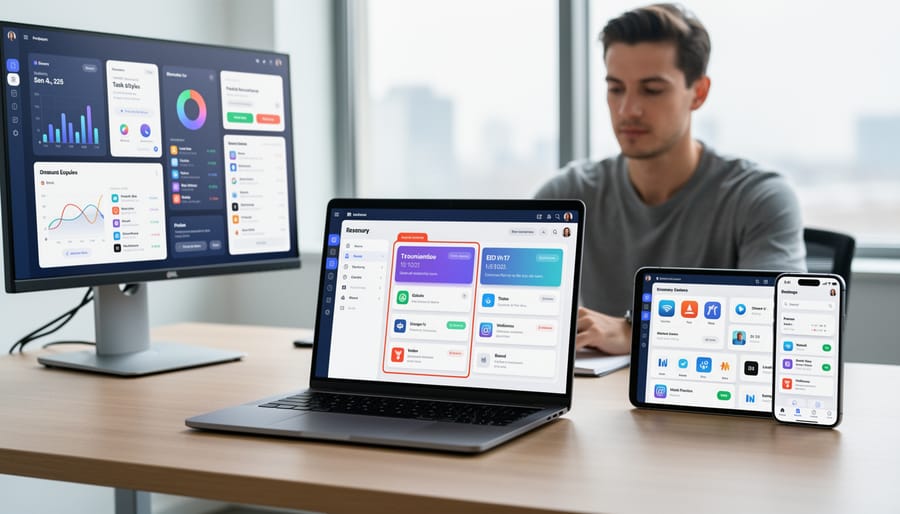
Content Curation: Filtering the Noise
Every minute, you’re exposed to thousands of potential pieces of content online, but AI interfaces act as intelligent gatekeepers, deciding what reaches your screen. Think of your social media feed: behind the scenes, algorithms analyze your past interactions, how long you pause on certain posts, what you share, and even what you scroll past quickly.
This is how AI personalization works in practice. The system assigns relevance scores to content based on patterns it detects in your behavior. If you consistently engage with technology news but skip celebrity gossip, the AI learns to prioritize tech articles in your feed.
Modern content curation goes beyond simple preference matching. AI considers temporal context (time of day you’re most active), engagement depth (do you just like or actually comment?), and even mood indicators suggested by your recent activity patterns. For instance, YouTube’s recommendation engine doesn’t just suggest videos similar to what you watched; it predicts what you might want to watch next based on your current viewing session.
The result? Each person sees a uniquely filtered version of the digital world, making information consumption more efficient but also raising questions about filter bubbles and exposure to diverse perspectives.
Why This Matters: The Benefits You’ll Actually Feel
Faster Workflows and Less Clicking Around
Think about how many clicks it takes you to adjust your phone’s settings or find a specific feature in a complex app. Traditional interfaces treat everyone the same, forcing users through identical menus and workflows regardless of their needs. Adaptive interfaces flip this script entirely.
By learning from your behavior patterns, these smart systems bring your most-used functions front and center. If you’re a Spotify user who creates playlists every Friday afternoon, the interface might surface playlist creation tools during that time window. Email applications using adaptive design can automatically categorize messages and suggest quick actions based on how you’ve handled similar emails before, eliminating multiple clicks to file, respond, or delete.
The impact becomes even more dramatic in professional settings. Customer service representatives using adaptive CRM systems report up to 40% faster task completion because the interface predicts which customer information they’ll need next and presents it automatically. Instead of navigating through five different tabs to access purchase history, contact details, and support tickets, everything relevant appears in a single, intelligently organized view. The result? Less time clicking, more time doing actual work.
Accessibility Without the Manual Setup
Gone are the days of wrestling with accessibility settings buried deep in system preferences. Interface-ai brings a refreshing change by automatically detecting and adapting to user needs in real-time, without any manual configuration required.
Think of it like having a thoughtful assistant who notices when you’re squinting at the screen and immediately adjusts the text size, or recognizes when you’re navigating with a keyboard instead of a mouse and optimizes the interface accordingly. The system observes interaction patterns—how long you hover over buttons, whether you’re using voice commands, or if you prefer high-contrast visuals—and seamlessly adjusts the experience.
For someone with limited motor control, the interface might enlarge clickable areas and add extra confirmation steps. For users with visual impairments, it automatically increases contrast ratios and activates screen reader compatibility. These AI-driven accessibility features work behind the scenes, eliminating the frustration of hunting through settings menus or figuring out which combination of options works best.
The beauty lies in its simplicity: you simply start using the application, and it learns from your behavior to create a personalized, accessible experience tailored specifically to your needs.
Less Overwhelm, More Focus
Think about the last time you opened a software application and felt instantly overwhelmed by dozens of buttons, menus, and options scattered across the screen. Now imagine if that interface could sense your experience level and current task, automatically hiding features you don’t need while bringing forward exactly what you’re looking for.
This is precisely what adaptive AI interfaces do. They reduce cognitive load by learning your patterns and presenting only relevant choices. For example, a photo editing app might display basic filters and cropping tools for casual users, while automatically revealing advanced color grading options when it detects someone working on professional projects. The result? You spend less mental energy searching through cluttered menus and more time actually accomplishing your goals. Research shows that reducing unnecessary interface elements can improve task completion speed by up to 40 percent while significantly decreasing user frustration and decision fatigue.
The Challenges: What Could Go Wrong?
The Privacy Question: What’s Being Tracked?
When adaptive interfaces personalize your experience, they need information to work with. Understanding what data these systems collect is essential for making informed decisions about the technology you use.
Most adaptive interfaces track behavioral patterns rather than personal information. This includes actions like which buttons you click most frequently, how long you spend reading certain content, which features you ignore, and the times of day you’re most active. Think of it like a coffee shop barista remembering your usual order—they’re observing patterns, not digging into your private life.
The tracking typically happens in layers. Surface-level data might include screen interactions and navigation paths. Deeper analysis could examine error rates, task completion times, and feature usage frequency. Some systems also consider contextual factors like device type, screen size, or connection speed to optimize your interface accordingly.
Privacy-conscious design means giving users control. Reputable adaptive systems should offer transparency about what’s collected, allow you to opt out of certain tracking, and keep data anonymized when possible. Many systems process data locally on your device rather than sending everything to remote servers, reducing privacy risks.
The key question isn’t whether data is collected, but how it’s used, who has access, and what control you maintain over your information.
When AI Gets It Wrong: The Filter Bubble Problem
While adaptive interfaces can feel like having a helpful assistant who knows your preferences, there’s a hidden downside to this personalization: you might never discover what you don’t know you’re missing.
Think about your favorite streaming service. It learns you love sci-fi movies, so it keeps recommending more sci-fi. Sounds perfect, right? But what if there’s an incredible documentary or foreign film that could become your new favorite? The algorithm, trying to be helpful, might never show it to you because it doesn’t fit your established pattern.
This is the filter bubble problem. When AI systems get too good at predicting what we want, they can inadvertently trap us in echo chambers of familiar content, products, and perspectives. A news app that only shows articles matching your viewpoint reinforces existing beliefs without exposing you to different angles. An e-commerce site that exclusively suggests products similar to past purchases limits your ability to explore new categories or discover innovative alternatives.
The consequences extend beyond personal inconvenience. Filter bubbles can narrow our worldview, reduce creative thinking, and limit professional growth. Imagine a designer who only sees interfaces similar to their previous work, or a student whose educational platform never challenges them with unfamiliar topics.
The solution isn’t abandoning personalization entirely. Instead, effective AI-driven interfaces need built-in diversity mechanisms that occasionally introduce unexpected but relevant content, ensuring users benefit from personalization without losing the serendipity of discovery that makes digital exploration truly valuable.
The Future Is Already Here: What’s Coming Next

Voice and Gesture: Interfaces That Respond to More Than Clicks
Modern interfaces are breaking free from the traditional click-and-tap paradigm by embracing how humans naturally communicate. Multimodal AI interfaces now respond to voice commands, hand gestures, and even where you’re looking on the screen, creating a more intuitive digital experience.
Voice-activated interfaces have evolved beyond simple commands. Today’s systems understand context, accents, and natural speech patterns. For example, smart home systems can now interpret conversational requests like “make it warmer in here” without requiring exact phrasing. The AI adapts to your speaking style over time, becoming more accurate with each interaction.
Gesture recognition takes this further by tracking hand movements through cameras or sensors. Gaming consoles and virtual reality headsets pioneered this technology, but it’s now appearing in productivity software. Designers can rotate 3D models with hand twists, while presenters advance slides with a simple wave.
Eye tracking represents the cutting edge of multimodal design. Assistive technology uses it to help people with mobility challenges navigate computers, but mainstream applications are emerging too. Some reading apps now detect when your eyes linger on difficult words, automatically offering definitions or translations.
These combined inputs create interfaces that respond to how we naturally express ourselves, reducing the learning curve for new technology.
Emotional Intelligence: Interfaces That Sense Your Mood
Imagine opening your favorite app after a stressful day, and instead of the usual bright, energetic interface, you’re greeted with calming colors and simplified navigation. This isn’t science fiction—it’s the emerging reality of emotionally intelligent interfaces.
Modern emotion recognition technology uses various signals to detect your emotional state. Your device’s camera might analyze facial expressions, microphones can assess voice tone and speech patterns, and sensors track physiological indicators like heart rate or typing speed. Some systems even monitor how you interact with your screen—rapid, erratic clicks might suggest frustration, while slow scrolling could indicate fatigue.
Once your mood is detected, the interface adapts accordingly. A mental health app might detect anxiety and immediately surface breathing exercises. A productivity tool sensing stress could automatically reschedule less urgent tasks or suggest a break. Music streaming services already experiment with this, adjusting playlists based on detected energy levels throughout your day.
The potential applications extend beyond personal convenience. In customer service, chatbots that recognize frustration can escalate issues to human agents faster. Educational platforms detecting confusion can provide additional explanations or alternative learning materials automatically.
However, this technology raises important questions about privacy and consent. Continuous emotional monitoring requires careful consideration of data collection practices and user control. The most successful implementations will likely be those that give users transparent choices about when and how their emotional states are analyzed, ensuring technology serves people without overstepping boundaries.
Interface-AI represents more than just another technological advancement—it’s reshaping how we interact with the digital world in fundamental ways. As we’ve explored throughout this article, adaptive interfaces powered by artificial intelligence are already enhancing our daily experiences, from personalized content feeds to accessibility features that break down barriers for users with different needs.
The transformative potential is clear: interfaces that learn, adapt, and respond to individual users create more intuitive, efficient, and inclusive digital experiences. However, this technology comes with important considerations around privacy, transparency, and ethical design that we cannot ignore. As users, being aware of how these systems work empowers us to make informed decisions about the technologies we engage with.
So what can you do with this knowledge? Start by noticing adaptive features in the apps and platforms you use daily. Pay attention to how Netflix recommends shows, how your email filters messages, or how your phone keyboard predicts your next word. Ask yourself whether these adaptations genuinely improve your experience or create filter bubbles that limit your perspective.
For those designing or developing digital products, prioritize user control alongside personalization. Give people meaningful choices about how much adaptation they want and transparency about what data drives these changes.
The future of interface-AI is being written right now, and understanding how these systems work positions you to be an informed participant rather than a passive consumer in this digital evolution.