
Download open-source language models like Llama or Mistral directly to your computer to run conversations, generate text, and answer questions without sending data to cloud servers. These offline AI systems protect your privacy, eliminate subscription fees, and work anywhere—even without internet access.
Install software such as Ollama, LM Studio, or GPT4All on standard consumer hardware to get started within minutes. Modern offline models run surprisingly well on everyday laptops and desktops, though performance improves significantly with dedicated graphics cards. A mid-range computer with 16GB of RAM can handle capable 7-billion parameter models, while 32GB unlocks access to more powerful 13-billion parameter versions that rival many cloud-based services.
The trade-off is straightforward: you exchange the convenience of instant cloud access for complete data ownership and zero recurring costs. Your conversations stay on your device, making offline AI ideal for sensitive work, confidential research, or simply maintaining digital autonomy. Recent optimizations have dramatically reduced the technical barrier—what once required specialized knowledge now involves downloading an application and selecting a model from a built-in library.
Consider your primary use case before committing. Casual users benefit from lightweight models perfect for writing assistance and learning. Professionals handling confidential information gain enterprise-level privacy without enterprise costs. Developers experiment freely without API limitations or usage charges. The technology has matured beyond early adopters into a practical alternative for anyone valuing control over their AI tools.
What Are Offline Devices for LLMs?
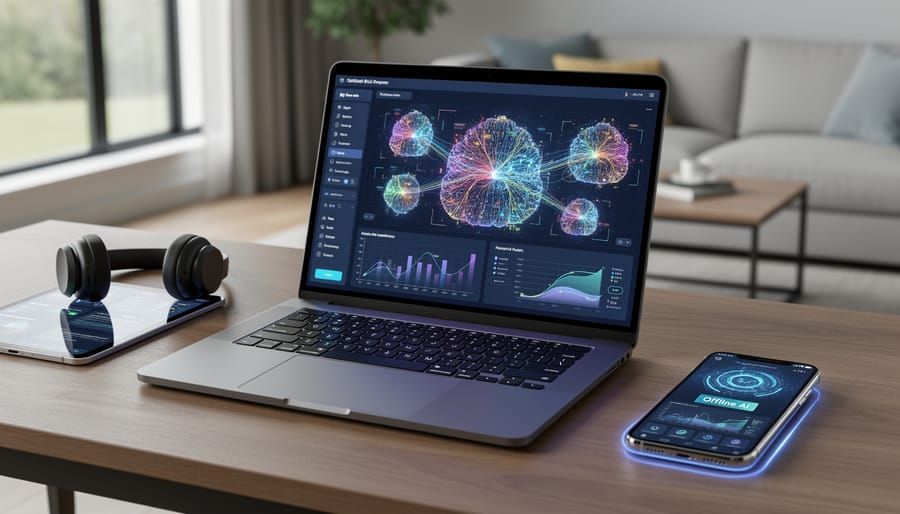
The Difference Between Cloud and Local AI
Think of traditional cloud-based AI like visiting a vast public library. Every time you ask a question, you send it to a distant building where powerful computers process your request and send back an answer. Your query travels across the internet to remote servers, gets analyzed, and returns with a response. This journey happens remarkably fast, but it requires constant internet connectivity and means your data leaves your device.
Offline AI models work differently—they’re like having a personal bookshelf at home. Instead of traveling to the library, you have your own collection of knowledge stored directly on your device. When you ask a question, everything happens locally. Your laptop or phone processes the request using its own processor and memory, without sending anything over the internet.
The cloud approach offers access to enormous, powerful models with vast knowledge bases, but you’re dependent on connectivity and sharing your information with external servers. The offline approach gives you complete privacy and independence, though with a more compact knowledge base that fits on your device. Neither is universally better—they serve different needs. Cloud AI excels when you need cutting-edge capabilities and have reliable internet, while offline models shine when privacy, data security, or connectivity matters most.
How Offline LLMs Actually Work
Running sophisticated AI on your laptop might sound like magic, but it’s actually the result of clever engineering that makes large language models smaller and faster. Think of it like compressing a high-resolution movie to watch on your phone—you’re reducing the file size while keeping the essential quality.
The process starts with model compression, where researchers trim unnecessary connections in the AI’s neural network. Imagine a sprawling city where some roads rarely get traffic—removing those redundant paths keeps the city functional while making it more efficient. The original model might contain billions of parameters (the values that determine how the AI responds), but through careful pruning, developers can eliminate the least important ones without significantly impacting performance.
Quantization takes this further by reducing the precision of mathematical calculations. Instead of using complex 32-bit numbers for every computation, quantized models use simpler 4-bit or 8-bit representations. Picture switching from measuring ingredients with laboratory precision to using standard measuring cups—you lose some accuracy, but your recipe still works perfectly well.
Optimization techniques then fine-tune how the model runs on specific hardware. Developers rewrite code to take advantage of your device’s particular processor and memory setup, much like a race car mechanic adjusts engine settings for different tracks.
Together, these techniques can shrink a 70-billion parameter model from 140GB to just 4GB, making it practical to run on everyday devices while maintaining impressive capabilities for conversations, writing assistance, and problem-solving.
Why You’d Want an Offline AI Assistant

Privacy That Actually Means Something
When you run an AI model offline, your data never leaves your device. This creates a fundamental shift in how you can use artificial intelligence without compromising your privacy. Unlike cloud-based services that send every query to remote servers, offline models process everything locally on your hardware.
Consider drafting a confidential business proposal. With traditional cloud-based AI assistants, your competitive strategies, financial projections, and proprietary ideas travel across the internet to company servers where they might be stored, analyzed, or used for training future models. An offline device keeps these documents entirely within your control.
The same principle applies to deeply personal scenarios. Someone researching health symptoms, exploring mental health concerns, or seeking advice on sensitive family matters can do so without creating a digital trail. Medical professionals can analyze patient notes, and lawyers can review case details without exposing client information to third-party services.
This local processing model means there’s no data collection, no terms of service granting broad usage rights, and no risk of breaches at a service provider’s database. Your conversations exist only on your device. For anyone who needs to protect your data while still leveraging AI capabilities, offline models deliver genuine privacy rather than just promises in a policy document.

Work Anywhere, Internet or Not
Offline AI devices shine brightest when connectivity fails. Consider marine biologist Dr. Sarah Chen, who spent three months cataloging species in the Galápagos Islands. With spotty internet at best, she relied on an offline language model to transcribe field notes, translate local research papers, and draft reports—all without uploading sensitive ecological data to cloud servers.
For journalists working in regions with internet restrictions or censorship, offline devices provide uncensored access to AI tools. Travel writer Marcus Rodriguez discovered this firsthand during a six-week assignment across Central Asia, where his offline AI helped him organize interviews and draft articles during long train journeys through connection dead zones.
Even everyday scenarios benefit from offline access. During a 14-hour flight to Tokyo, software developer Anika Patel used her laptop’s local AI model to debug code, generate documentation, and brainstorm project ideas—turning dead time into productive hours. Emergency responders in rural areas increasingly rely on offline AI for quick translations and medical reference checks when every second counts and cellular networks are overwhelmed or nonexistent.
These aren’t edge cases—they’re real people solving real problems without depending on internet infrastructure.
Speed and Cost Savings
Running AI models locally on your device delivers immediate performance benefits that cloud-based solutions simply can’t match. When you process requests on-device, you eliminate the round-trip time to remote servers—that means response times measured in milliseconds instead of seconds. Think of asking your offline assistant a question and getting an answer before you could even finish typing a follow-up. Real-world tests show local models responding in 100-500 milliseconds compared to 1-3 seconds for cloud services, especially noticeable when internet connections slow down.
The financial advantages are equally compelling. Instead of paying ongoing subscription costs that typically range from $10 to $30 monthly, offline devices require only an initial investment. A capable laptop or desktop that can run local models might cost $800-1,500, but that’s equivalent to just 2-5 years of subscription fees—and the hardware remains yours to use indefinitely. For students processing research papers or professionals handling daily queries, those savings add up quickly. Plus, you’re never hit with surprise charges for exceeding usage limits or premium features, making budgeting straightforward and predictable.
What Devices Can Run Offline LLMs?
Your Laptop or Desktop Computer
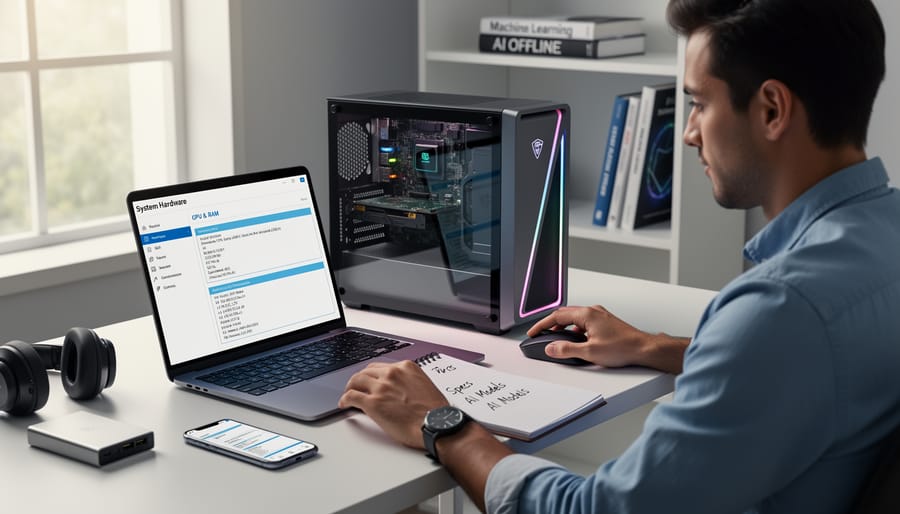
The good news? You don’t need a supercomputer to run language models on your personal machine. Many modern laptops and desktops can handle smaller, optimized models surprisingly well.
Let’s start with the baseline. For basic experimentation with compact models (3-7 billion parameters), you’ll want at least 16GB of RAM and 20GB of free storage space. This setup will let you run models like Llama 2 7B or Mistral 7B at reasonable speeds. Think of a mid-range laptop from the past three years—something like a MacBook Air M1, a Dell XPS 13, or a ThinkPad T14—and you’re already in the game.
If you’re serious about performance, 32GB of RAM opens significantly more doors. You can run larger models or process requests faster. Storage-wise, an SSD is essential for quick model loading. Budget at least 50-100GB if you plan to experiment with multiple models.
Here’s where things get interesting: GPU considerations. While not strictly required, a dedicated graphics card dramatically improves speed. Models can run on CPU alone, but what takes 30 seconds with a GPU might take several minutes without one. For Windows and Linux users, NVIDIA GPUs (like the RTX 3060 or 4060) offer excellent support through CUDA. Mac users benefit from Apple Silicon’s unified memory architecture, where M1, M2, and M3 chips handle AI tasks impressively well without separate GPUs.
The beauty of offline LLMs is their flexibility across operating systems. Whether you’re running macOS, Windows 10/11, or Linux distributions like Ubuntu, compatible software exists for your platform.
Smartphones and Tablets
Your smartphone is more powerful than you might think. Recent advances in mobile AI capabilities mean you can now run surprisingly capable language models right on your device, no internet required.
For iOS users, apps like Ollama Mobile and Private LLM bring models like Llama 3.2 and Phi-3 to your iPhone or iPad. Android offers similar options through apps like Pocket LLM and LM Studio Mobile. These applications typically require devices with at least 6GB of RAM for smooth performance, though newer flagship phones with 12GB or more deliver noticeably better results.
Storage is your main consideration. Smaller models like Phi-3 Mini occupy around 2-4GB, while more capable options can require 8GB or more. Think of it like downloading a large game – once installed, the model stays on your device permanently.
Performance-wise, expect response times of a few seconds rather than the near-instant replies you get from cloud services. Your phone will also warm up during extended use. However, the trade-off brings complete privacy and works perfectly during flights, in remote areas, or anywhere connectivity is limited or expensive.
Specialized AI Hardware
Beyond traditional computers and smartphones, a new category of specialized AI hardware is emerging for consumers who want dedicated offline AI capabilities. These purpose-built devices focus specifically on running AI models efficiently without internet connectivity.
Edge AI devices, like smart speakers with on-device processing or standalone AI assistants, pack powerful neural processing units into compact forms. Think of them as mini-computers optimized for one job: running AI models locally. For example, some newer e-readers now include AI chips that can translate text or answer questions about your books without connecting online.
These specialized devices make sense in specific scenarios. If you’re a developer testing AI applications, an edge computing board like NVIDIA’s Jetson series offers a dedicated environment. Privacy-conscious users might prefer standalone AI assistants that never send data to the cloud. Remote workers in areas with unreliable internet can benefit from devices that guarantee functionality regardless of connectivity.
However, most consumers don’t need specialized hardware yet. Your existing laptop or smartphone likely handles offline AI tasks adequately for everyday use. Consider specialized devices only if you have specific requirements around privacy, portability, or development work that your current devices can’t meet.
Popular Offline LLM Options You Can Use Today
Llama Models and Local Implementations
Meta’s Llama models have revolutionized how everyday users can run powerful AI on their personal computers. These open source models are freely available and designed to work efficiently on consumer hardware, making offline AI accessible to everyone.
The challenge has always been technical complexity, but that’s where user-friendly applications come in. LM Studio provides a sleek, intuitive interface that lets you download and run Llama models with just a few clicks. Think of it as iTunes for AI models—you browse a library, download what interests you, and start chatting immediately. No command line knowledge required.
Ollama takes a different approach, offering a lightweight solution that’s perfect for users who want efficiency without sacrificing simplicity. It handles all the complicated setup behind the scenes, letting you focus on what matters: interacting with your AI assistant.
Both applications automatically manage model downloads, memory allocation, and performance optimization. You simply choose a model size that fits your computer’s capabilities—smaller models for everyday laptops, larger ones for gaming PCs—and you’re ready to go. This democratization of AI technology means anyone can experiment with local language models, regardless of technical background.
Mobile-First AI Applications
Your smartphone is becoming an increasingly powerful AI companion, and several apps now harness this capability entirely offline. These mobile-first applications demonstrate how AI can work seamlessly in your pocket without draining data or requiring constant connectivity.
Leading the pack are apps like Private LLM for iOS, which runs language models directly on your device for tasks like writing assistance, brainstorming, and question-answering. Android users have similar options with apps like Pocket AI, offering conversation capabilities that work during flights or in areas with poor reception.
For specialized tasks, apps like Grammarly’s offline mode help polish your writing, while translation apps such as Google Translate can convert between dozens of languages without internet access once you’ve downloaded the necessary language packs. Voice assistant capabilities are also expanding offline, with features for setting reminders, taking notes, and performing calculations.
These mobile apps excel at personal productivity tasks, quick information retrieval, and situations where privacy is paramount. While they may not match the sophistication of cloud-based alternatives, their instant response times and zero data usage make them ideal for everyday tasks. The key advantage is having AI assistance anywhere, anytime, whether you’re traveling internationally, working in remote locations, or simply want to keep your queries completely private.
Specialized Offline Assistants
Beyond general-purpose AI assistants, specialized offline tools cater to specific professional needs. These niche applications demonstrate how local AI can enhance productivity in targeted domains without requiring constant internet access.
For developers, coding assistants like Continue and Tabby offer code completion and suggestions that run entirely on your machine. These tools analyze your codebase locally, providing context-aware recommendations while keeping your proprietary code private. They work seamlessly with popular editors like Visual Studio Code, learning your coding patterns over time.
Writers benefit from offline grammar checkers and style analyzers that process text locally. Tools like LanguageTool can run on your device, offering real-time suggestions without sending your manuscripts to cloud servers. This proves invaluable for authors working on sensitive documents or in locations with unreliable connectivity.
Data scientists can leverage local AI for exploratory data analysis. Offline implementations of machine learning libraries allow you to build and test models on your laptop, making it possible to experiment during flights or in remote fieldwork locations.
The key advantage across these specialized tools is consistency. Whether you’re coding in a coffee shop, writing during a power outage, or analyzing data in the field, your AI assistant remains available and responsive.
Getting Started With Your First Offline LLM
Choosing the Right Model for Your Needs
Selecting the right offline model starts with honestly assessing your hardware capabilities. Check your device’s RAM, storage space, and processing power before downloading anything. Smaller models like Phi-2 or TinyLlama run smoothly on laptops with 8GB RAM, making them perfect for casual writing assistance or learning exercises. If you have 16GB or more and a dedicated GPU, medium-sized models like Mistral offer significantly better performance for complex tasks like code generation or detailed research.
Your intended use case matters enormously. For quick grammar checks and simple questions, a 3-billion parameter model works wonderfully and responds almost instantly. However, if you’re drafting technical documents, analyzing data, or need nuanced reasoning, investing in a larger 7-billion or 13-billion parameter model pays off despite slower response times.
A common pitfall is downloading the largest model possible, assuming bigger always means better. This often leads to frustrating lag or system crashes. Start small, experiment with real tasks, and upgrade only when you clearly identify limitations. Remember that a responsive smaller model usually beats a sluggish larger one for everyday productivity.
Installation and Setup Simplified
Getting started with offline LLMs is surprisingly straightforward, especially with tools designed for beginners. Let’s walk through setting up Ollama, one of the most user-friendly options available for running AI models locally on your computer.
First, visit the Ollama website and download the installer for your operating system. Windows, Mac, and Linux are all supported. The installation file is around 500MB, so expect a few minutes for the download depending on your connection speed.
Once downloaded, run the installer. On Windows, you’ll see a standard setup wizard—just click through the prompts and accept the default settings. Mac users will drag the application to their Applications folder as usual. The process takes less than two minutes.
After installation, open your command prompt or terminal. Don’t worry if you’re not comfortable with command lines—you only need to type simple commands. To download your first model, type “ollama pull llama2” and press enter. This downloads the Llama 2 model to your device. The screen will show a progress bar (imagine seeing something like “downloading 3.8 GB… 45% complete”). The initial download requires internet, but after this, you’re completely offline-ready.
To start chatting with your model, simply type “ollama run llama2” and hit enter. A chat interface appears right in your terminal, and you can begin asking questions immediately.
Common hiccup: If you see “command not found,” restart your terminal window to refresh the system path. If the model download stalls, check your available disk space—models typically need 4-8 GB. On older computers, you might experience slower response times; in this case, try smaller models like “ollama pull phi” which runs on less powerful hardware while still delivering impressive results.
The Trade-offs You Should Know About
Performance and Capability Differences
Let’s be honest: offline models aren’t going to match GPT-4 or Claude in raw capability. These cloud-based giants run on warehouse-sized server farms with thousands of GPUs, while your offline model squeezes into a laptop or desktop. It’s like comparing a Formula 1 race car to a reliable Honda Civic.
Cloud models excel at complex reasoning, nuanced writing, and handling lengthy conversations. They remember more context, provide more sophisticated responses, and rarely stumble on tricky questions. Detailed performance comparisons show these differences clearly across various benchmarks.
However, smaller offline models shine in everyday tasks. Need to summarize a document? Draft an email? Answer straightforward questions? Models like Llama 2 or Mistral handle these perfectly well. Think of them as specialized tools rather than general-purpose Swiss Army knives.
The sweet spot for offline models includes coding assistance, quick text generation, private document analysis, and repetitive tasks where consistency matters more than brilliance. They’re also improving rapidly—today’s 7-billion parameter model outperforms yesterday’s much larger ones.
For most daily AI interactions, you won’t notice the gap. You will notice the speed, privacy, and zero ongoing costs. Choose offline when reliability and privacy trump absolute peak performance.
Storage and Hardware Demands
Running language models offline requires careful consideration of your device’s capabilities. Think of it like downloading a high-definition movie versus streaming it—you need enough storage space and processing power to handle everything locally.
Storage requirements vary dramatically depending on model size. Smaller models like 3-billion-parameter versions typically need 2-4 GB of disk space, making them manageable on most modern devices. However, larger models with 13 billion parameters or more can demand 8-26 GB, with some flagship models requiring over 40 GB. Before downloading, ensure you have at least double the model size available as temporary space during installation.
Processing speed depends heavily on your hardware. Desktop computers with dedicated graphics cards process queries in seconds, delivering near-instantaneous responses. Standard laptops without GPU acceleration take longer—expect 10-30 seconds per response. Mobile devices face the biggest performance challenges, often requiring 30-60 seconds for complex queries.
Battery consumption becomes critical for mobile users. Running offline LLMs can drain your phone’s battery 3-5 times faster than typical applications. A smartphone that normally lasts all day might need recharging after just 2-3 hours of active AI use. Laptop users typically see 40-60% reduced battery life during intensive model operation, making power management an essential consideration for portable deployments.
What’s Coming Next for Offline AI
The future of offline AI looks remarkably bright, with several exciting developments on the horizon that will make local models even more powerful and accessible.
One of the most promising trends is the continued advancement in model compression techniques. Researchers are developing smarter ways to reduce model sizes without sacrificing performance, using methods like knowledge distillation and pruning. Think of it like compressing a high-quality photo—the file gets smaller, but you can barely tell the difference. We’re already seeing 7-billion parameter models that perform nearly as well as older 13-billion parameter versions, all while requiring less memory and computing power.
Hardware manufacturers are also stepping up. Apple’s neural engines, Qualcomm’s AI processors, and specialized NPUs (Neural Processing Units) are becoming standard in consumer devices. Your next laptop or smartphone will likely come with dedicated AI chips that make running complex models feel effortless. This means you’ll soon run sophisticated AI assistants on devices you already own, without needing expensive upgrades.
Another exciting development is the emergence of hybrid models that intelligently switch between offline and online modes. Imagine an AI assistant that handles most tasks locally for speed and privacy, but seamlessly connects to cloud resources only when tackling exceptionally complex queries. This gives you the best of both worlds.
We’re also seeing better tooling and user interfaces. Setting up offline AI is becoming less technical, with one-click installers and intuitive management systems replacing command-line complexity. Within the next year or two, downloading and running a local AI model could be as simple as installing any other application, making this technology accessible to everyone, regardless of technical expertise.
Taking control of your AI experience doesn’t require a computer science degree or enterprise-level hardware. Offline LLMs have evolved into practical tools that everyday users can deploy on standard laptops and desktops, putting powerful language capabilities directly in your hands without depending on cloud services.
The choice between offline and cloud-based AI isn’t binary—it’s situational. Cloud services like ChatGPT excel when you need cutting-edge capabilities, don’t mind sharing data with providers, and have reliable internet access. Offline models shine when privacy matters, internet isn’t available, you want to avoid subscription fees, or you’re working with sensitive information that shouldn’t leave your device. Many users find value in both approaches, using cloud AI for demanding tasks and offline models for everyday assistance.
Starting your offline AI journey is simpler than you might expect. Begin with user-friendly tools like LM Studio or Ollama, experiment with smaller models that run smoothly on your current hardware, and gradually explore more capable options as you become comfortable. The learning curve is gentle, and the community around offline AI is welcoming and helpful.
The technology landscape shifts rapidly, but one trend is clear: offline AI capabilities keep improving while hardware requirements become more accessible. What seemed impossible on consumer devices just months ago is now routine. By experimenting with offline LLMs today, you’re not just solving immediate needs—you’re preparing for a future where powerful AI assistance lives right on your device, private and always available. Download a tool, try a model, and discover what local AI can do for you.