

Start with a simple chatbot using Python and a pre-trained language model from Hugging Face—you’ll need only basic programming knowledge and can build something functional in an afternoon. This hands-on approach transforms AI from an abstract concept into something tangible you’ve created with your own hands.
The barrier to entry for AI projects has collapsed dramatically. What once required expensive hardware, advanced degrees, and months of preparation now needs just a laptop, free tools, and a weekend of focused effort. Libraries like TensorFlow and PyTorch provide ready-made building blocks, while platforms such as Google Colab offer free cloud computing power that eliminates the need for specialized equipment.
The secret to successful DIY AI projects lies in starting small and building incrementally. Begin with classification tasks—teaching a model to recognize images or sort text—before advancing to generation or prediction projects. Each completed project builds both your technical skills and intuitive understanding of how AI systems actually work, moving you beyond theoretical knowledge into practical competence.
This guide walks you through five progressively challenging projects designed specifically for learners. You’ll start with a sentiment analyzer that processes movie reviews, advance through an image classifier that identifies objects, and culminate in a recommendation system similar to what streaming services use. Each project includes clear setup instructions, common troubleshooting solutions, and real-world applications that demonstrate why these skills matter beyond the learning exercise itself.
Why DIY AI Projects Are Your Best Learning Tool
Reading about neural networks is one thing, but building one that recognizes images or predicts outcomes? That’s when the lightbulb moment happens. DIY AI projects transform abstract concepts into tangible skills you can demonstrate and apply immediately.
Think of it like learning to swim. You can study swimming techniques in books for months, but you’ll never truly understand until you get in the water. The same principle applies to AI. When you build projects, you encounter real problems that textbooks rarely mention: messy data, unexpected errors, and the satisfaction of finally getting your model to work after troubleshooting for hours. These struggles become your most valuable teachers.
Building projects also creates proof of your abilities. Sarah Martinez, a former marketing manager, spent six months following a structured learning path and building five AI projects. Her portfolio landed her an AI product manager role, even without a computer science degree. Employers care less about certificates and more about what you can actually build.
The confidence boost is equally important. Each completed project, whether it’s a simple sentiment analyzer or a recommendation system, proves you can translate ideas into working solutions. This hands-on experience eliminates imposter syndrome faster than any course completion certificate.
Consider James Chen, who started with zero coding experience. His first project was a basic chatbot that could answer questions about his favorite movies. Within eight months of building progressively complex projects, he contributed to an open-source AI library and now works as a machine learning engineer.
Projects also reveal which aspects of AI genuinely interest you. You might discover you love computer vision but find natural language processing tedious, or vice versa. This self-knowledge helps you specialize strategically rather than pursuing generic AI knowledge that doesn’t align with your interests or career goals.

What You Actually Need to Get Started

Hardware That Won’t Break the Bank
Good news: you don’t need to drain your savings to start building AI projects. Let’s break down your options based on different budgets.
For desktop enthusiasts working with a $500-800 budget, consider building a PC with an AMD Ryzen 5 processor and at least 16GB of RAM. You can always upgrade the graphics card later when your projects demand it. Pre-built options like the Dell Inspiron Desktop or HP Pavilion Gaming Desktop often go on sale in this price range and handle beginner to intermediate AI workloads surprisingly well.
Laptop users should look for machines with dedicated graphics cards. The ASUS TUF Gaming series and Lenovo IdeaPad Gaming laptops (around $700-900) offer solid performance for portable AI development. While laptops provide flexibility, desktops win for upgradeability and cooling—crucial when training models for hours.
But here’s the real game-changer: cloud platforms. Services like Google Colab offer free GPU access, perfect for running neural networks without any hardware investment. Kaggle provides similar capabilities, while AWS and Google Cloud Platform offer pay-as-you-go options starting at just a few dollars per month. This means you can experiment with powerful AI models on a basic $300 Chromebook.
The sweet spot? Start with cloud platforms to learn the ropes, then invest in local hardware once you understand your specific needs. Many successful AI practitioners began their journey with nothing more than free cloud credits and determination.
Free Software and Tools You’ll Use Daily
Getting started with AI projects doesn’t require expensive software or powerful computers. The AI community has created incredible free tools that run directly in your web browser, making it possible to build sophisticated projects from day one.
Google Colab is your virtual playground for AI experimentation. Think of it as a free computer in the cloud that comes preloaded with everything you need. You can write code, train models, and see results instantly without installing anything on your personal device. It even provides free access to GPUs (specialized processors that make AI training much faster), which would normally cost hundreds of dollars.
Python serves as the foundation language for nearly all AI work. Don’t let the word “programming language” intimidate you – Python reads almost like English. A command like “print(‘Hello World’)” does exactly what you’d expect. Within a few hours of practice, you’ll be writing code that actually works.
For building AI models, TensorFlow and PyTorch are the industry standards that major tech companies use daily. TensorFlow excels at deploying models to real-world applications, while PyTorch offers a more intuitive learning experience for beginners. Both are completely free and come with extensive tutorials.
Scikit-learn rounds out your toolkit by handling traditional machine learning tasks like predictions and data analysis. It’s perfect for your first projects because it requires just a few lines of code to create working models. Together, these tools form a professional-grade AI development environment that costs you nothing but time and curiosity.
Five Beginner-Friendly AI Projects You Can Build This Month

Project 1: Image Recognition That Identifies Your Pet
Want to teach AI to recognize your furry friend? This project uses transfer learning, a technique where you build on a pre-existing trained model rather than starting from scratch. Think of it like learning to ride a motorcycle after you already know how to ride a bicycle – you’re leveraging existing knowledge.
You’ll start with a pre-trained image recognition model (like MobileNet or ResNet) and fine-tune it to distinguish your pets. Using just 50-100 photos of each pet from different angles, you can create a surprisingly accurate classifier. The beauty of transfer learning is that the model already understands basic visual features like edges and shapes, so you’re simply teaching it your specific categories.
This project teaches you fundamental concepts like data preparation, model training, and accuracy evaluation. You’ll gain hands-on experience with popular frameworks like TensorFlow or PyTorch, and learn why more training data doesn’t always mean better results.
Practical applications extend beyond pet photos. The same technique works for identifying plant species in your garden, sorting recyclables, or organizing your photo library. Companies use similar approaches for quality control in manufacturing and medical image analysis.
Expected completion time: 4-6 hours for beginners, including setup and experimentation. You’ll need a computer with at least 8GB RAM and basic Python knowledge to get started.
Project 2: A Chatbot That Answers Questions About Your Favorite Topic
Ready to have a conversation with your own AI? Building a chatbot introduces you to natural language processing, the technology that helps computers understand and respond to human language. Think of it as teaching your computer to chat about topics you’re passionate about, whether that’s astronomy, cooking, or vintage video games.
You’ll need a few accessible tools to get started. Python remains your programming language of choice, paired with libraries like NLTK or spaCy for processing language. For a simpler entry point, platforms like Rasa or Dialogflow offer user-friendly interfaces that handle much of the complex backend work. You’ll also need a dataset of questions and answers related to your chosen topic, which you can compile yourself or find online.
The process breaks down into manageable steps. First, you’ll gather and organize your training data. Next, you’ll teach your chatbot to recognize different types of questions and match them with appropriate responses. Finally, you’ll test and refine how it handles various conversation flows.
The real-world applications are everywhere. Customer service teams use similar chatbots to handle common inquiries. Educational institutions deploy them as virtual tutors. Even small businesses leverage chatbots to engage website visitors 24/7. Your project might start simple, answering basic questions about your favorite hobby, but you’re learning the same principles that power sophisticated AI assistants used by major companies worldwide.
Project 3: Music Recommendation Engine Based on Your Mood
Ever wish your music player could read your emotions and queue up the perfect soundtrack? This project brings that vision to life by combining two powerful AI concepts: sentiment analysis and recommendation systems.
Start by collecting two datasets: one containing song features (tempo, energy, valence) from platforms like Spotify’s API, and another with mood labels. Your goal is to train a model that understands the emotional characteristics of different tracks. Begin with simple mood categories like “happy,” “sad,” “energetic,” or “calm.”
The beauty of this project lies in its two-stage approach. First, you’ll build a sentiment classifier that can detect moods from user input, whether that’s typed text or even social media posts. Then, you’ll create a recommendation engine that matches detected emotions to appropriate songs. Libraries like Scikit-learn and TensorFlow make this surprisingly accessible.
What makes this project special is its real-world relevance. You’re learning the same recommendation techniques that power Netflix, Amazon, and every major streaming service. The skills transfer directly to product recommendations, content curation, and personalized user experiences across industries.
Start small with 100 songs across four moods, then expand as you gain confidence. Within a few weeks, you’ll have a working prototype that genuinely understands how you’re feeling.
Project 4: Handwriting Recognition System
Handwriting recognition offers an excellent entry point into neural networks because you can visually see your AI learning to interpret patterns. This project typically uses the famous MNIST dataset, a collection of 70,000 handwritten digits that serves as the “Hello World” of machine learning.
You’ll start by loading the dataset and splitting it into training and testing portions. Think of the training set as flashcards your AI studies, while the testing set evaluates how well it learned. Using Python libraries like TensorFlow or PyTorch, you’ll build a simple neural network that analyzes pixel patterns in each digit image. The network learns by making predictions, comparing them to the correct answers, and adjusting its internal settings to improve accuracy.
What makes this project particularly valuable is watching your model’s accuracy climb from random guesses to 95% or higher after just a few training cycles. You’ll gain hands-on experience with concepts like training epochs, loss functions, and model validation—fundamental skills that apply to virtually every AI project you’ll tackle later.
The beauty of handwriting recognition extends far beyond digits. Once you master this foundation, you can apply the same principles to recognizing signatures for document verification, reading handwritten medical prescriptions, or even building custom character recognition systems for historical documents. This single project opens doors to understanding how AI powers everything from postal sorting systems to mobile check deposits.
Project 5: Price Prediction Tool for Online Shopping
Ever wondered if that online deal is really worth it, or if prices might drop next week? This project teaches you to build a price prediction tool that tracks product prices over time and forecasts future trends—perfect for timing your purchases strategically.
You’ll start by learning ethical web scraping techniques to collect price data from e-commerce sites, always respecting robots.txt files and terms of service. The project introduces regression models, which help identify pricing patterns, and time-series analysis to understand how prices fluctuate seasonally or during sales events.
Using Python libraries like BeautifulSoup for scraping and scikit-learn for modeling, you’ll gather historical price data for products you’re interested in. Then, you’ll train a model to recognize patterns—maybe electronics drop in price after new releases, or clothing sees discounts at season’s end.
The visualization component makes your predictions accessible through charts and graphs using Matplotlib or Plotly. You can even set up alerts to notify you when prices hit your target range.
This project delivers immediate practical value in your daily life while teaching essential AI concepts. You’ll understand how recommendation engines and dynamic pricing work, skills that translate directly to business analytics and market forecasting roles. Plus, you might save significant money on your next purchase.
Your Step-by-Step Implementation Pathway
Weeks 1-2: Foundation Building
Your AI journey begins with mastering the essentials. Start with Python fundamentals: variables, loops, functions, and basic data structures like lists and dictionaries. Dedicate 30-45 minutes daily to interactive platforms like Codecademy’s free Python course or Google’s Python Class, which offer hands-on coding directly in your browser.
Simultaneously, grasp core AI concepts without drowning in theory. Watch 3Blue1Brown’s neural network series on YouTube to visualize how AI actually learns. Supplement this with Andrew Ng’s AI For Everyone course on Coursera, which explains machine learning in plain English without requiring coding.
Set concrete daily goals: complete one Python exercise, watch one 10-minute explainer video, and write simple programs like a temperature converter or number guessing game. These small wins build confidence and muscle memory.
By week two, you should comfortably write basic Python scripts and understand fundamental AI terminology like training data, algorithms, and neural networks. Think of this phase as learning the alphabet before writing sentences. Real-world application example: understanding variables prepares you for manipulating image data in computer vision projects later. Practice on real datasets from Kaggle’s beginner-friendly collections to make learning tangible from day one.
Weeks 3-6: Your First Three Projects
Start with an image classifier using transfer learning—it’s incredibly satisfying to see your model recognize objects within hours, not days. Use a pre-trained model like MobileNet with TensorFlow, and train it on a small dataset of your own images. This teaches you the fundamentals without requiring massive computational power.
Next, build a simple chatbot using natural language processing libraries. Start with rule-based responses, then gradually incorporate intent recognition. This project demystifies how conversational AI actually works behind the scenes.
For your third project, try a recommendation system using collaborative filtering. Whether it’s movie suggestions or product recommendations, you’ll understand the algorithms powering platforms like Netflix.
When you hit roadblocks—and you will—break problems into smaller pieces. Check error messages carefully; they’re more helpful than they seem. Stack Overflow and GitHub Issues are goldmines for troubleshooting. The AI community is remarkably supportive, so don’t hesitate to ask questions on forums like Reddit’s r/MachineLearning.
Document everything in a simple notebook or blog. Write down what worked, what failed, and why. This practice transforms random experiments into actual learning. Return to earlier projects after completing new ones—you’ll be amazed how much clearer they become, revealing opportunities for improvement you couldn’t see before.
Months 2-3: Advancing Your Skills
Once you’ve mastered the basics, it’s time to stretch your capabilities. Start customizing your initial projects by tweaking parameters, experimenting with different datasets, or adding new features. For example, expand your image classifier to recognize more categories, or enhance your chatbot to handle more complex conversations.
This is the perfect stage to explore specialization areas that match your interests. If you’re drawn to visual applications, dive deeper into computer vision projects like object detection or facial recognition. Fascinated by language? Natural language processing offers exciting opportunities in sentiment analysis and text generation. Healthcare enthusiasts might explore medical image analysis, while creative minds could experiment with AI-generated art or music.
Consider following structured AI project paths that gradually increase in complexity. Build a recommendation system for movies or products, create a real-time emotion detector using your webcam, or develop a personal finance predictor. Each project should introduce one or two new concepts while reinforcing what you’ve learned.
Document your progress through a GitHub portfolio, sharing both successes and challenges. This practice not only solidifies your understanding but creates tangible proof of your growing expertise for future opportunities.
Common Roadblocks and How to Overcome Them
When Your Code Won’t Run
Here’s the truth every successful AI developer knows: errors aren’t failures—they’re signposts pointing you toward solutions. When your code refuses to run, you’re not alone. Every AI practitioner, from beginners to experts, spends considerable time debugging.
Start with the error message itself. Copy the exact text and search it online—chances are dozens of people encountered the same issue. Stack Overflow and GitHub discussions are goldmines for solutions. Pay attention to which Python version or library version caused the problem, as version mismatches account for many beginner headaches.
Common culprits include missing dependencies, incorrect file paths, or incompatible library versions. Try creating a fresh virtual environment and reinstalling packages one by one. Check that your data files are in the right location and properly formatted. Often, a simple typo in a variable name or missing comma causes cascading errors.
Reddit communities like r/learnmachinelearning and r/artificial welcome questions from beginners. The official documentation for TensorFlow, PyTorch, and scikit-learn includes troubleshooting sections with real examples. Following reliable development practices from the start helps prevent many issues.
Remember: debugging teaches you more than code that works perfectly on the first try. Each solved error deepens your understanding and builds problem-solving skills essential for AI development.
Staying Motivated When Progress Feels Slow
DIY AI projects often involve a learning curve that can feel discouraging when you’re knee-deep in debugging or struggling with concepts that seemed simple in tutorials. The key to pushing through is reframing how you measure success.
Start by keeping a progress journal. Document what you learned each session, even if your code didn’t work. Did you finally understand how neural networks process data? That’s progress worth noting. These small insights compound over time into genuine expertise.
Break your projects into micro-milestones. Instead of aiming to “build a chatbot,” celebrate when you successfully preprocess your first dataset, then when your model trains without errors, then when it generates its first coherent response. Each step deserves recognition.
Join communities like Reddit’s r/MachineLearning or Discord servers dedicated to AI beginners. Sharing your struggles normalizes the experience and often leads to helpful advice. Consider finding an accountability partner who’s also learning AI—schedule weekly check-ins to discuss progress and challenges.
When motivation dips, revisit why you started. Look back at your early work to see how far you’ve come. That clunky first model that barely worked? It’s proof you’re capable of learning hard things.
Remember, every AI expert once struggled with the basics. The difference between them and those who quit wasn’t talent—it was persistence through the slow phases.
Where to Find Help and Continue Learning
Your AI learning journey doesn’t end with your first project—it’s just the beginning. The good news is that you’re joining a vibrant, supportive community of learners and experts eager to help you grow.
For free learning resources, YouTube stands out as an exceptional starting point. Channels like Sentdex offer practical Python and machine learning tutorials, while 3Blue1Brown breaks down complex mathematical concepts with stunning visualizations. Two Minute Papers keeps you updated on cutting-edge AI research in digestible formats. These channels excel at making advanced topics accessible without dumbing them down.
Online learning platforms provide structured pathways. Coursera’s Machine Learning Specialization by Andrew Ng remains the gold standard for beginners, offering clear explanations and hands-on assignments. Fast.ai takes a different approach, getting you building models on day one before diving into theory. Google’s free Machine Learning Crash Course provides excellent foundational knowledge with interactive exercises.
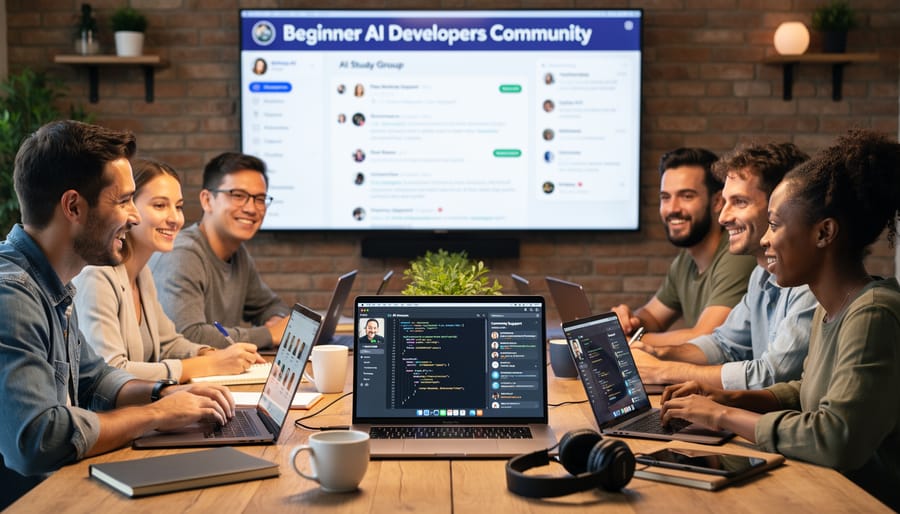
Community connection transforms solitary learning into collaborative growth. Reddit’s r/MachineLearning and r/learnmachinelearning communities answer questions, share project ideas, and celebrate wins. Stack Overflow remains invaluable for debugging specific coding issues. Discord servers like the Hugging Face community connect you with practitioners working on similar projects.
GitHub deserves special mention—not just for accessing code, but for learning from others’ projects. Browse repositories, fork interesting projects, and eventually share your own work. Seeing how experienced developers structure their code accelerates your learning dramatically.
Don’t overlook Kaggle, which combines learning with competition. Their free courses cover practical skills, while competitions let you test your abilities against real datasets. The discussion forums provide insights into different problem-solving approaches.
As you progress, consider exploring responsible AI development to ensure your projects benefit society positively. Remember: every expert was once a beginner asking the same questions you’re asking now. Share your progress, ask for feedback, and pay it forward by helping newcomers behind you.
The journey into artificial intelligence doesn’t require a PhD or years of experience. It simply requires curiosity and the willingness to start. Every AI expert you admire today was once exactly where you are now, staring at their first line of code, wondering if they could actually build something meaningful.
The beauty of DIY AI projects is that they meet you where you are. Whether you choose a simple chatbot, an image classifier, or a recommendation system, each project teaches you something new. You’ll encounter errors, debug problems, and experience those breakthrough moments when everything suddenly clicks. This hands-on learning process is irreplaceable because understanding comes through doing, not just reading.
Start small and build momentum. Choose one project from this guide that genuinely excites you, perhaps something that solves a problem in your daily life or explores a topic you’re passionate about. Set aside a weekend, gather your tools, and dive in. Don’t worry about perfection or creating something groundbreaking on your first attempt. Focus on completing something functional, no matter how simple.
The AI landscape is evolving rapidly, and there’s never been a better time to join in. The resources are free, the communities are welcoming, and the potential applications are limitless. Your first project might feel challenging, but it will also be transformative. Stop planning and start building. Pick your project, open your code editor, and take that crucial first step today. Your AI journey begins now.