

Your phone can stream 4K video and run photorealistic games, yet struggles to generate a simple paragraph using AI. This isn’t a design flaw—it’s the reality of running large language models on consumer devices. The same ChatGPT that responds instantly through your browser would crawl to a halt if installed directly on your laptop, assuming it could even fit.
Device limitations for on-device LLMs stem from three fundamental constraints: memory capacity, processing power, and energy consumption. Modern AI models like GPT-4 require hundreds of gigabytes of RAM and specialized hardware that most personal devices simply don’t possess. When a model needs 175 billion parameters to function, and each parameter requires storage space, you’re looking at technical demands that exceed what typical smartphones or computers can handle.
This gap between cloud-based AI capabilities and local device performance creates real frustration. You want privacy, offline access, and instant responses without uploading your data to remote servers. Yet attempting to run full-scale AI models locally often results in crashed applications, drained batteries, or agonizingly slow performance that makes the technology unusable.
The good news? Understanding these limitations isn’t just about accepting what you can’t do—it’s about discovering what you actually can accomplish right now. Smaller, optimized models are emerging that deliver impressive results within device constraints. Companies are developing specialized chips designed specifically for AI tasks. The landscape is evolving rapidly, transforming “impossible” into “achievable” for everyday users.
This article breaks down exactly why your device struggles with AI, what technical barriers exist, and which practical solutions work today with the hardware you already own.
What Makes Running LLMs on Your Device So Demanding
The Size Problem: Why LLMs Are Digital Giants
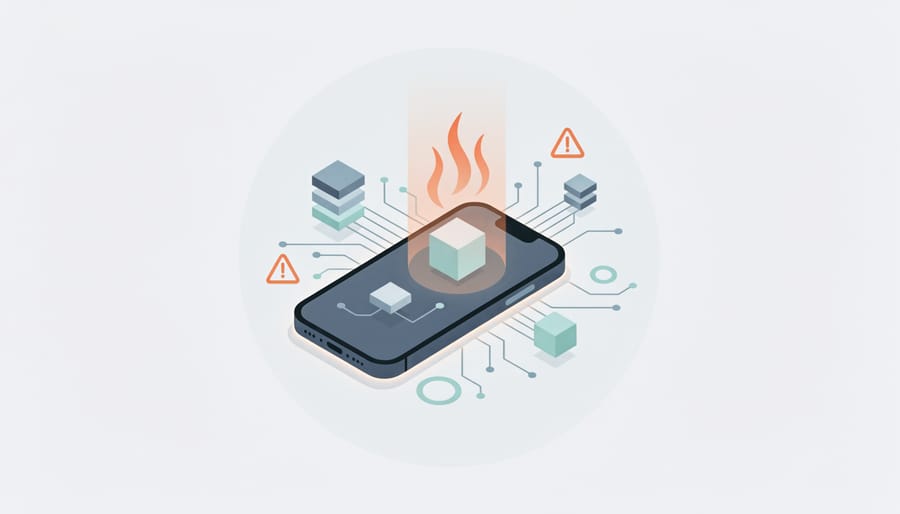
Imagine trying to fit an entire library into your pocket. That’s essentially what happens when you attempt to run a large language model on your device. These AI models are measured in parameters—think of them as individual pieces of knowledge the model has learned. When you hear about a “7B model,” that’s shorthand for 7 billion parameters.
Here’s where things get hefty: each parameter needs to be stored as a number. In most cases, these numbers require multiple bytes of storage space. A 7-billion-parameter model typically needs around 14 gigabytes of memory just to hold the model itself—that’s roughly the size of three full-length 4K movies. Larger models like GPT-3, with 175 billion parameters, would require over 350 gigabytes.
To put this in perspective, your smartphone might have 6-8GB of RAM total. Your device needs that memory to run its operating system, display graphics, handle your apps, and manage background processes. Loading a 7B model would consume nearly all available memory, leaving nothing for actually running the device.
But storage is only part of the equation. These parameters aren’t just sitting idle—they’re actively working during every interaction. Each time you ask a question, the model performs billions of mathematical calculations, multiplying and adding these parameters together. This computational workload is where your device really starts to sweat, leading to the frustrating slowdowns and battery drain that make running LLMs locally such a challenge.
Memory Hungry: RAM Requirements That Break the Budget
Think of RAM as your workspace. Just like you need enough desk space to spread out all your papers before starting a project, language models need enough RAM to load their entire structure before they can answer even a single question.
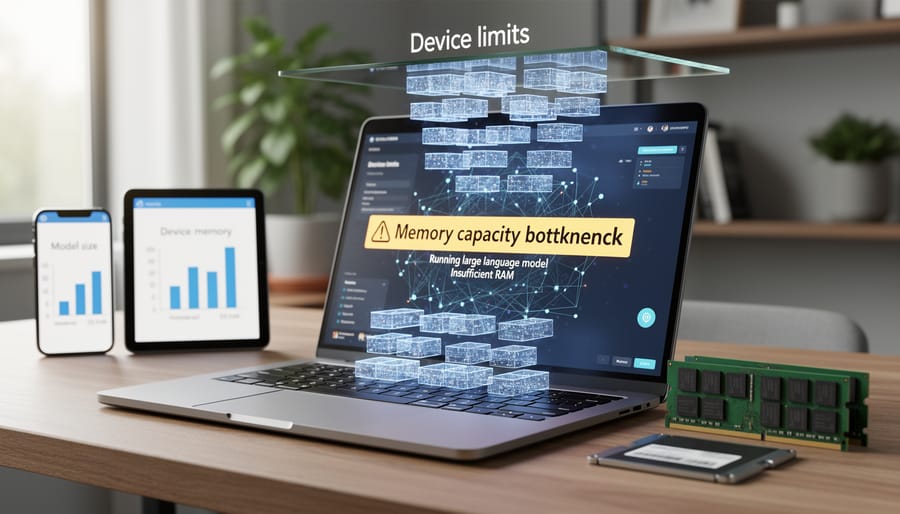
Here’s the challenge: modern language models are massive. A 7-billion parameter model typically requires about 14GB of RAM just to load, while a 13-billion parameter model needs roughly 26GB. These numbers assume basic 16-bit precision—the math gets even hungrier with higher precision formats.
Now compare this to what most people actually have. A typical smartphone carries 6-8GB of RAM, while budget laptops often max out at 8-16GB. Your average consumer device simply doesn’t have the memory headroom these models demand, and when you check real performance data, the gap becomes crystal clear.
What happens when you try forcing a model into insufficient RAM? Your device starts “swapping”—shuffling data between RAM and your much slower storage drive. Imagine trying to work at a desk where you can only keep one paper visible at a time, constantly filing and retrieving documents from a cabinet across the room. Inference that should take seconds suddenly crawls to minutes, or your system freezes entirely.
This explains why that promising AI assistant app runs sluggishly on your phone, or why your laptop grinds to a halt when processing complex queries. The model isn’t broken—your device simply lacks the memory capacity to hold it comfortably. It’s like trying to fit a elephant into a sedan: theoretically possible, but practically miserable for everyone involved.
The Hardware Bottlenecks Holding You Back
CPU vs. GPU: Why Your Processor Matters More Than Ever
When you ask your computer to run a large language model, the processor handling that request makes all the difference. Think of it this way: a CPU (Central Processing Unit) is like a brilliant chef working alone in a kitchen, handling complex recipes with precision and versatility. A GPU (Graphics Processing Unit), on the other hand, is like having hundreds of line cooks who can all chop vegetables simultaneously.
This distinction becomes crucial for AI workloads because language models perform the same mathematical operations across millions of data points at once. CPUs excel at sequential tasks, working through instructions one after another with incredible accuracy. While your CPU might have 8 or 16 cores working in parallel, a modern GPU contains thousands of smaller cores designed specifically for parallel processing.
Here’s where it gets practical: when an LLM generates text, it’s constantly performing matrix multiplications and calculating probabilities across its entire neural network. A CPU tackles these calculations in sequence, which is like reading a book one letter at a time. A GPU processes vast chunks of these calculations simultaneously, reading entire paragraphs at once.
For inference speed on your device, this translates to dramatic differences in performance. A model that generates one word per second on a CPU might produce ten or more words per second on a decent GPU. That’s why gaming laptops with dedicated graphics cards often outperform more expensive business laptops when running AI models locally.
The challenge for most consumer devices is that powerful GPUs require significant power and cooling. Your smartphone might have a capable GPU for gaming, but it’s still fundamentally different from the discrete graphics cards that make desktop AI inference truly practical.
Mobile Chips: The Special Challenge of Phones and Tablets
Your smartphone is a marvel of engineering, but when it comes to running large language models, it faces unique hurdles that even older laptops might handle better. Understanding why requires a look at what makes mobile devices fundamentally different.
Most phones and tablets use ARM-based processors rather than the x86 architecture found in traditional computers. Chips like Apple’s A-series and M-series Silicon or Qualcomm’s Snapdragon processors are designed with power efficiency as the top priority. While this makes them perfect for scrolling social media all day, it creates complications for the intensive calculations required by AI models. These processors excel at short bursts of activity but struggle with sustained workloads.
The biggest enemy of on-device AI capabilities on mobile devices is heat. When your phone runs demanding tasks, it generates warmth. Unlike laptops with cooling fans, smartphones rely on passive cooling, spreading heat through the metal frame. Once temperatures climb too high, thermal throttling kicks in automatically, slowing down the processor to prevent damage. Imagine trying to run a marathon while someone keeps making you stop and walk every few minutes. That’s what happens when a phone tries to run an LLM during extended conversations.
Battery constraints add another layer of complexity. Running AI models draws significant power, and smartphone batteries are relatively small compared to laptops. A single extended chat session with a locally-running model could drain 20-30% of your battery, making it impractical for regular use.
Memory presents yet another challenge. While flagship phones now offer 8-12GB of RAM, this falls short of what larger models need. Newer mobile-optimized models like Gemini Nano and Phi-3-mini are specifically designed to work within these constraints, offering a glimpse of what’s possible when AI models are purpose-built for mobile limitations rather than simply scaled down from desktop versions.
Performance Trade-offs: Speed, Quality, and Battery Life
Quantization: Making Models Smaller (But Different)
Think of a large language model as a high-resolution photograph. Quantization is like converting that photo from a large, detailed file into a smaller, compressed version. You reduce the file size dramatically, but you might lose some subtle details in the process.
In technical terms, quantization reduces the precision of numbers used to represent the model’s parameters. A standard model might use 32-bit floating-point numbers for each parameter, storing an enormous amount of detail. Through quantization, we can compress these to 8-bit, 4-bit, or even lower precision. This is where offline LLMs become practical for everyday devices.
Let’s see the real impact. Take a 7-billion parameter model. At full precision (32-bit), it requires about 28GB of memory. Quantize it to 8-bit, and you’re down to 7GB. Push it to 4-bit quantization, and suddenly you need just 3.5GB, fitting comfortably on a modern smartphone.
The trade-off? Quality can suffer. Imagine asking a model to write creative fiction. The full-precision version might generate nuanced, sophisticated prose. The heavily quantized version produces similar content but might occasionally use slightly less varied vocabulary or make minor logical inconsistencies. For many practical applications like answering questions or summarizing text, these differences are barely noticeable.
The sweet spot for most users is 4-bit or 8-bit quantization. You get 75-90% of the original model’s quality while making it accessible on consumer hardware. It’s not perfect, but it transforms impossibly large models into practical tools you can actually run locally.
The Battery Drain Reality
Running a sophisticated language model on your device is like asking your phone to become a mini power plant. The computational intensity of local AI inference translates directly into significant battery consumption, often in ways that surprise users.
When you run an LLM locally, your device’s processor works at near-maximum capacity for extended periods. Think of it like running a demanding video game, but potentially for much longer sessions. A typical smartphone might drain 15-25% of its battery for just 30 minutes of continuous AI interaction with a mid-sized model. Laptops fare somewhat better due to larger batteries, but you can still expect 2-3 hours of runtime instead of the usual 8-10 hours during active model use.
The power consumption comes from multiple sources. First, loading the model into memory requires an initial energy spike. Then, each response generation pushes your CPU or GPU into high-performance mode, which dramatically increases power draw. Your device also generates considerable heat during this process, triggering cooling fans on laptops or thermal throttling on phones, which further impacts efficiency.
For practical use cases, this creates real constraints. Imagine needing your AI assistant during a full workday without access to charging. Or consider a student wanting to use an on-device model for studying during a long commute. The battery reality means you’re often choosing between AI functionality and device longevity throughout the day. This is why many users still prefer cloud-based solutions for regular use, despite privacy benefits of local processing.

What Actually Works on Consumer Devices Today
Smaller Models That Punch Above Their Weight
Not every powerful AI model needs massive hardware to deliver impressive results. In fact, several smaller models have emerged that perform remarkably well on everyday consumer devices, proving that bigger isn’t always better when it comes to model choices.
Microsoft’s Phi models, particularly Phi-2 and Phi-3, have captured attention by achieving surprisingly strong performance despite their compact size. With Phi-3 weighing in at just 3.8 billion parameters, it can run smoothly on laptops with 8GB of RAM, yet it handles complex reasoning tasks that would typically require much larger models. Think of it as a lightweight sports car that keeps pace with heavier vehicles through clever engineering rather than brute force.
Google’s Gemma series offers another excellent option for resource-conscious users. The 2B and 7B variants strike a sweet balance between capability and accessibility, running efficiently on consumer-grade GPUs while delivering coherent responses for tasks like content generation, summarization, and code assistance.
Mistral 7B and its variants have become go-to choices for developers working with limited hardware. These models demonstrate that strategic training and smart architecture can compensate for smaller parameter counts. They handle everyday tasks like answering questions, drafting emails, and basic coding with surprising competence.
However, it’s important to set realistic expectations. These smaller models won’t match GPT-4’s versatility or handle highly specialized tasks requiring deep domain knowledge. They may occasionally produce less nuanced responses or struggle with complex multi-step reasoning. But for typical daily tasks like writing assistance, basic research, and casual conversation, they deliver genuinely useful performance without requiring enterprise-level hardware investments.

Device Categories: Where You Stand Today
Understanding where your device stands in the AI capability spectrum can save you hours of troubleshooting and frustration. Let’s break down what different categories can realistically handle when running LLMs locally.
High-end laptops with dedicated GPUs (like NVIDIA RTX 4070 or above) sit at the top tier. These powerhouses can run smaller models like LLaMA 7B smoothly and even handle 13B parameter models with acceptable performance. Think of a gaming laptop with 32GB RAM—it’s your best bet for serious on-device AI experimentation without breaking the bank on workstation hardware.
Mid-range laptops represent the sweet spot for many users. With 16GB RAM and integrated graphics, you can run quantized versions of smaller models. For example, a 2023 MacBook Air with M2 chip handles 3B parameter models surprisingly well, though you’ll notice slower response times compared to cloud-based solutions. These devices work great for testing and learning, but expect generation speeds of a few words per second rather than instant responses.
Tablets fall into a tricky category. High-end iPad Pros can technically run optimized models, but thermal throttling becomes your enemy during extended sessions. The hardware exists, but sustained performance remains challenging.
Flagship phones from the past two years, like iPhone 15 Pro or Samsung Galaxy S24, can run heavily optimized models under 2B parameters. You might successfully run a compressed assistant model, though battery drain and heat generation limit practical use cases to short interactions.
Budget devices under 500 dollars typically lack the RAM and processing power for meaningful LLM experiences. While technically possible with extreme optimization, the performance hits make it impractical for regular use.
The Path Forward: How Device Limitations Are Being Solved
Hardware Evolution: NPUs and Specialized AI Chips
The good news is that hardware manufacturers have recognized the AI bottleneck and are racing to solve it. Neural Processing Units, or NPUs, represent a fundamental shift in how consumer devices handle AI workloads. Unlike CPUs that juggle countless tasks or GPUs designed primarily for graphics, NPUs are purpose-built specifically for the mathematical operations that AI models perform.
Think of it this way: asking a CPU to run an AI model is like asking a Swiss Army knife to cut down a tree. It can technically do it, but it’s not designed for that job. NPUs, on the other hand, are the chainsaw built specifically for this purpose.
Apple’s Neural Engine, found in recent iPhones and MacBooks, can perform trillions of operations per second dedicated entirely to AI tasks. Google’s Tensor chips in Pixel phones take a similar approach. Qualcomm’s latest Snapdragon processors now include dedicated AI accelerators that handle everything from real-time translation to photo enhancement without draining your battery or slowing other apps.
What does this mean for you? Devices with NPUs can run smaller language models locally with impressive speed and efficiency. A phone with an NPU might generate text responses in seconds rather than minutes, all while sipping power instead of guzzling it. However, these specialized chips still have limits. They excel at running optimized, smaller models but struggle with full-scale LLMs that demand resources beyond what fits in a pocket-sized device.
Software Innovation: Better Models and Smarter Compression
The AI research community has been working overtime to solve the device limitation puzzle, and the results are genuinely exciting. Rather than accepting that powerful language models must live exclusively in the cloud, developers are creating innovative approaches that bring these capabilities to your laptop or smartphone.
One breakthrough involves distillation, where researchers essentially teach smaller models to mimic their larger cousins. Think of it like a master chef sharing techniques with apprentices—the students may have less experience, but they can still create impressive dishes. Models like Microsoft’s Phi series demonstrate this perfectly, achieving performance comparable to much larger models while using a fraction of the computational resources.
Quantization represents another game-changer. This technique reduces the precision of numbers used in calculations, similar to how you might round prices to the nearest dollar for quick mental math. While you lose some precision, the trade-off often proves worthwhile. Quantized models can shrink from gigabytes to manageable sizes without significant performance loss.
Parameter-efficient fine-tuning methods like LoRA (Low-Rank Adaptation) allow users to customize models without retraining everything from scratch. Instead of renovating an entire house, you’re just redecorating specific rooms—much faster and requiring far fewer resources.
These innovations address both technical barriers and cost considerations, making on-device AI increasingly practical. Developers continue pushing boundaries, with new architectures like mixture-of-experts models that activate only portions of their networks for specific tasks, further reducing computational demands while maintaining impressive capabilities.
The landscape of on-device AI is rapidly evolving, and while today’s device limitations present real challenges, the trajectory is unmistakably positive. If you’re exploring on-device LLMs right now, you’re witnessing a technology in transition, caught between impressive capability and practical constraint.
The reality is that running sophisticated AI models locally requires significant computational resources that most consumer devices simply weren’t designed to provide. However, the pace of innovation is extraordinary. What seemed impossible on a smartphone two years ago is now achievable with optimized models, and techniques like quantization and pruning continue to push boundaries further.
For those interested in experimenting with on-device AI today, start with realistic expectations. Smaller models between 1-7 billion parameters offer the best balance of performance and practicality on current hardware. If you have a modern laptop with 16GB of RAM or a recent smartphone, you can absolutely run capable models for specific tasks, though they won’t match cloud-based alternatives in every scenario.
Looking ahead, the next two to three years promise substantial improvements. Hardware manufacturers are integrating dedicated AI accelerators into consumer devices, while researchers are developing more efficient architectures that deliver better results with fewer resources. The convergence of these advances means the device limitations frustrating users today will gradually fade.
The future of AI isn’t just in the cloud. It’s also in your pocket, waiting for technology to catch up with ambition. That moment is closer than you might think.