

The AI revolution is coming to your pocket, and it doesn’t need an internet connection. On-device large language models (LLMs) represent a fundamental shift in how we interact with artificial intelligence, moving powerful language processing capabilities directly onto your smartphone, laptop, or tablet instead of relying on distant cloud servers.
Think of it this way: traditional AI assistants like ChatGPT work like making a phone call to a expert thousands of miles away, sending your question over the internet and waiting for a response. On-device LLMs are like having that expert sitting right next to you, ready to help instantly without ever broadcasting your conversation to the world.
This technology matters for three compelling reasons. First, your data stays completely private, never leaving your device or passing through corporate servers. Second, you get responses in milliseconds rather than seconds, with no lag from internet connectivity. Third, these models work anywhere, whether you’re on an airplane at 30,000 feet, in a remote location, or simply dealing with spotty cellular service.
The practical applications are already here. Students can get homework help without worrying about school network restrictions. Professionals can draft emails and analyze documents while maintaining strict confidentiality. Travelers can access real-time translation without expensive roaming charges. Privacy-conscious users can ask sensitive questions without creating a digital trail.
What once required warehouse-sized servers now fits in your hand, democratizing access to AI in ways that protect your privacy while expanding where and how you can use these powerful tools.
What Are On-Device LLMs?

The Difference Between Cloud and On-Device AI
Think of cloud-based AI like calling a brilliant friend who lives far away for advice. When you use ChatGPT or similar services, your question travels over the internet to powerful computers in a data center, gets processed there, and the answer travels back to you. It’s like having access to a supercomputer, but you need an internet connection every time you want help.
On-device AI, by contrast, is like having that same knowledgeable friend living right in your pocket. The AI model runs directly on your phone, laptop, or tablet. Your questions never leave your device—everything happens locally. Imagine typing a message and getting suggestions or asking questions about a document, all without sending any data anywhere.
Here’s a practical example: When you use cloud-based ChatGPT to draft an email, your words zip across the internet to OpenAI’s servers, get processed, and the response comes back. This might take a second or two, depending on your connection speed. With an on-device model like those being built into newer smartphones, your request is processed instantly on the phone itself. No internet required, no waiting for data to travel back and forth.
The tradeoff? Cloud models can be enormous and incredibly powerful because they run on massive servers. On-device models must be smaller to fit on your hardware, which sometimes means they’re less sophisticated. However, what you sacrifice in raw capability, you gain in privacy, speed, and the freedom to work anywhere—even on an airplane or in areas with poor connectivity.
How They Actually Work on Your Device
Running a large language model on your device is like fitting an entire library into your pocket—it requires some clever packing techniques. The massive AI models that power services like ChatGPT typically contain billions of parameters and occupy hundreds of gigabytes. To make them work on your laptop or phone, developers use several optimization strategies that maintain most of the intelligence while dramatically reducing the size.
The primary technique is called quantization, which is essentially a smart compression method. Think of it like converting a high-resolution photograph to a smaller file size. Original LLMs use high-precision numbers (like 32-bit floating point) for each parameter, but quantization converts these to simpler formats (like 4-bit or 8-bit integers). A model that originally needed 28GB might shrink to just 4GB through quantization, making it possible to run on consumer hardware without requiring specialized server equipment.
Another important optimization is model pruning, where developers remove less important neural connections, similar to trimming a tree while keeping its essential structure. This creates smaller, more efficient models that retain most of their capabilities.
Different quantization levels offer trade-offs between size and performance. A 4-bit quantized model runs faster and uses less memory but might produce slightly less accurate responses compared to an 8-bit version. For most everyday tasks, these differences are barely noticeable.
Once compressed, these models are packaged in formats designed for efficient local execution. Frameworks like llama.cpp and GGUF optimize how the model loads into your device’s memory and processes requests. Instead of sending your questions to distant servers, your device performs all calculations locally, reading from the compressed model file stored on your hard drive.
Why Running AI Offline Changes Everything
Privacy That Actually Means Something
When you use cloud-based AI assistants, every question you ask and every document you process travels across the internet to distant servers. Your confidential business plan, personal health concerns, or private journal entries become data packets flowing through networks you don’t control. On-device LLMs change this equation entirely.
Imagine drafting a sensitive email about a potential merger while sitting in a coffee shop. With traditional AI tools, that information leaves your laptop, passes through your internet provider, and lands on a company’s servers where it might be analyzed, stored, or even used to train future models. With an on-device LLM, everything stays locked inside your computer. No internet connection means no data leaving your machine.
This matters in surprisingly practical ways. A doctor using AI to help draft patient notes doesn’t risk HIPAA violations. A lawyer reviewing contracts keeps privileged information genuinely privileged. A parent asking health questions about their child doesn’t create a digital trail. You’re protecting your data by design, not just through trust.
The difference becomes crystal clear when you lose internet connection. Cloud AI stops working immediately. Your on-device model? It keeps running as if nothing changed, because it genuinely doesn’t need anything beyond your hardware. Your queries never become someone else’s training data, never appear in server logs, and never face the risk of data breaches affecting millions of users. The AI works for you alone, with your information staying exactly where it belongs.
No Internet? No Problem
Picture this: You’re on a 14-hour flight to Tokyo, trying to draft an important presentation. Or maybe you’re a researcher working in a rural conservation area where the nearest cell tower is 50 miles away. Perhaps you’re simply dealing with your home internet going down right when you need to analyze a crucial document. These scenarios share a common frustration—you need AI assistance, but you have no connection.
This is where offline LLMs solve connectivity issues that would otherwise leave you stranded. On-device language models work entirely on your laptop or phone, requiring zero internet access once installed.
International travelers benefit enormously from this technology. Instead of paying exorbitant roaming fees or hunting for reliable WiFi, you can use AI to translate menus, draft emails, or get writing assistance anywhere. Field workers—whether journalists covering remote regions, scientists conducting research in wilderness areas, or engineers inspecting infrastructure in isolated locations—can access intelligent assistance without depending on spotty satellite connections.
Even in everyday life, offline AI provides peace of mind. During natural disasters when networks become overwhelmed, or in buildings with poor cellular reception, your on-device assistant continues functioning normally. Students studying in areas with unreliable connectivity can use AI tutoring tools without interruption.
The reliability factor cannot be overstated. When your AI runs locally, it works consistently—whether you’re underground, in an airplane, or simply experiencing an internet outage. Your productivity doesn’t depend on connection bars.

Instant Responses Without the Wait
One of the most noticeable advantages of running an LLM directly on your device is the incredible speed. Think about it: when you use a cloud-based AI service, your question must travel across the internet to a remote server, wait in line with other requests, get processed, and then journey all the way back to you. This round trip might take only seconds, but it’s still perceptible—and sometimes those seconds feel like forever.
On-device LLMs eliminate this entire journey. Your query travels mere millimeters from your processor to memory and back. The result? Responses that feel instantaneous. You type your question, hit enter, and the answer begins appearing almost before you’ve lifted your finger from the keyboard.
This speed advantage becomes especially apparent during interactive tasks. Imagine brainstorming ideas, refining your writing, or getting quick explanations for concepts you’re learning. With local processing, the conversation flows naturally, without those awkward pauses that break your train of thought. You maintain momentum, whether you’re coding, writing, or problem-solving.
For students cramming before exams or professionals working under tight deadlines, these saved seconds accumulate into meaningful productivity gains. The AI assistant becomes truly responsive, matching the pace of human thought rather than constantly reminding you that you’re waiting for a distant machine.
Cost Savings Over Time
One of the most compelling advantages of on-device LLMs is their ability to reduce AI costs dramatically over time. Unlike cloud-based AI services that charge monthly subscriptions or per-query fees, on-device models require only a one-time investment in compatible hardware.
Consider this real-world comparison: A popular cloud AI service might cost $20 per month for regular use. Over three years, that’s $720 in subscription fees. Meanwhile, an on-device LLM runs on your existing computer or smartphone with no ongoing charges. Even if you need to upgrade your RAM or storage, spending $200-300 once still saves you hundreds of dollars compared to continuous subscription payments.
For students, researchers, or small businesses that need frequent AI assistance, these savings multiply quickly. Heavy users who might exceed usage limits on cloud platforms face additional per-query charges or forced upgrades to premium tiers. On-device models eliminate these concerns entirely, allowing unlimited queries without worrying about mounting costs or surprise bills at month’s end.
Popular On-Device LLMs You Can Use Today
Llama Models for Personal Devices
Meta’s Llama models have emerged as one of the most popular choices for running AI locally on personal devices. These open-source language models come in various sizes, making them adaptable to different hardware capabilities. The smaller versions, like Llama 3.2 with 1 billion or 3 billion parameters, can run smoothly on modern laptops and even some high-end smartphones.
What makes Llama particularly attractive is its balance between performance and accessibility. The 3B version, for example, can handle everyday tasks like answering questions, summarizing documents, and basic coding assistance while requiring only 4-8GB of RAM. For users with more powerful machines, the 8B and 13B variants offer enhanced reasoning abilities and more nuanced responses.
To run Llama models on your device, you’ll typically need at least 8GB of RAM for smaller versions, though 16GB or more is recommended for larger models. A modern processor and dedicated graphics card can significantly improve response times. The beauty of this flexibility is that you can choose a model size that matches your hardware without necessarily needing a high-end gaming rig. Many users successfully run these models on standard MacBooks or Windows laptops purchased within the last few years.
Phi and Other Compact Models
Microsoft’s Phi series represents a breakthrough in making powerful language models accessible to everyday devices. Unlike massive models that require data center infrastructure, Phi models are deliberately crafted to be compact yet surprisingly capable.
The Phi family, including Phi-2 and Phi-3, demonstrates that smaller can indeed be smarter. These models achieve impressive performance by training on carefully curated, high-quality data rather than simply amassing enormous datasets. Think of it like learning from an excellent teacher with focused lessons versus reading every book in a library—quality matters more than quantity.
What makes Phi particularly appealing is its practicality. Phi-2, with just 2.7 billion parameters, can run smoothly on modern laptops and even some smartphones while handling tasks like code generation, question answering, and creative writing. Phi-3 variants offer different sizes to match your hardware, from ultra-compact versions for mobile devices to slightly larger ones for desktop computers.
Similar efficient models include Gemini Nano from Google and smaller versions of Llama. These models share a common philosophy: delivering useful AI capabilities without requiring cloud connectivity or high-end gaming rigs. For students working on assignments, professionals drafting documents, or developers testing code, these compact models provide immediate, private assistance right on your device.
Mobile-First Options
Your smartphone is more powerful than you might think. Several LLM models have been specifically optimized to run on mobile devices, bringing AI capabilities directly to your pocket without requiring an internet connection.
Microsoft’s Phi-3 Mini stands out as a lightweight champion, designed to run smoothly on modern smartphones while delivering surprisingly capable performance for its size. With only 3.8 billion parameters, it can handle everyday tasks like answering questions, summarizing text, and assisting with writing—all while sipping battery power rather than gulping it.
Google has entered the mobile AI space with Gemini Nano, integrated directly into Android devices. This model powers features like smart replies, on-device transcription, and real-time translation. What makes it special is how seamlessly it works within your phone’s existing apps, requiring no technical setup.
For iPhone users, Apple’s integration of on-device AI capabilities into iOS demonstrates how these models can enhance daily experiences. Features like predictive text, photo recognition, and voice assistance now happen entirely on your device.
These mobile-first options prove that powerful AI doesn’t require cloud servers or expensive hardware. Whether you’re commuting, traveling to areas with spotty connectivity, or simply valuing your privacy, these pocket-sized models make AI genuinely accessible wherever life takes you.
What You Need to Run These Models
Smartphone and Tablet Requirements
Running on-device LLMs on your smartphone or tablet requires more computational power than typical mobile apps. Think of it like the difference between playing a simple mobile game versus running a video editing app—your device needs enough muscle to handle the task.
For Android devices, you’ll want at least 6GB of RAM, though 8GB or more delivers noticeably smoother performance. Modern chipsets like Qualcomm’s Snapdragon 8 series or MediaTek’s Dimensity 9000 series work well with smaller AI models. Devices such as the Samsung Galaxy S23, Google Pixel 8, or OnePlus 11 can comfortably run compact language models. You’ll also need sufficient storage space—reserve at least 2-4GB for the model itself, plus additional space for the application.
iPhone users have an advantage here. Apple’s Neural Engine, built into A16 Bionic chips and newer, handles AI tasks efficiently. The iPhone 14 and later models, along with recent iPad Pro versions, provide excellent performance for on-device AI applications.
However, let’s set realistic expectations. Your mobile device won’t match the capabilities of ChatGPT or Claude running on powerful cloud servers. Mobile LLMs typically use smaller, quantized models—imagine a condensed version of their larger counterparts. This means responses might be slightly less nuanced, and processing takes a few seconds longer. You’ll notice particularly good results with focused tasks like text completion, basic summarization, or simple question-answering. Complex reasoning or creative writing might feel more limited compared to cloud-based alternatives.
The trade-off? Complete privacy and functionality without internet connectivity—benefits that make these hardware requirements worthwhile for many users.
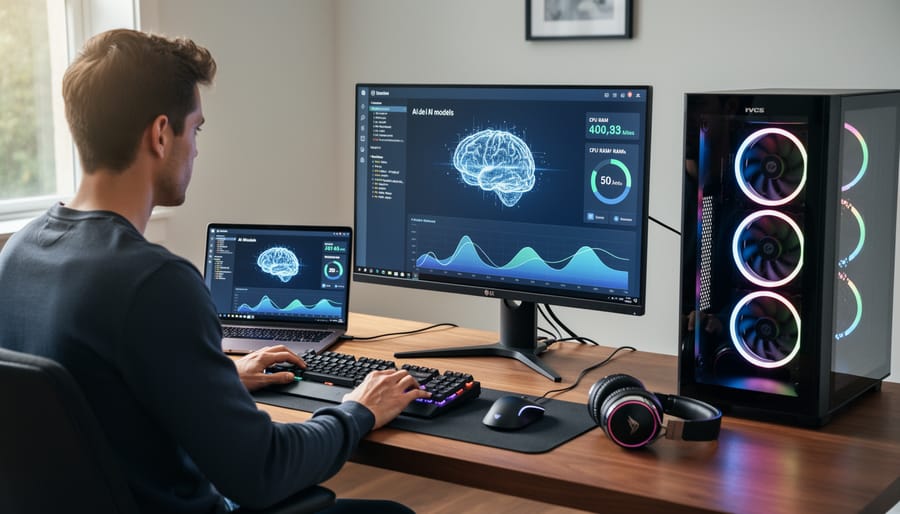
Laptop and Desktop Specs
Running sophisticated language models on your personal computer requires careful consideration of your hardware capabilities. Think of it like preparing your kitchen for a new cooking style—you need the right equipment to get good results.
The most critical component is RAM (Random Access Memory). For entry-level models like Llama 2 7B or Mistral 7B, you’ll want at least 16GB of RAM, though 32GB provides much smoother performance and room to multitask. If you’re interested in larger models with billions more parameters, 64GB becomes the sweet spot. Here’s a practical example: a 7-billion parameter model typically needs about 8-10GB of RAM when running efficiently, leaving space for your operating system and other applications.
Storage requirements are more forgiving. Most models range from 4GB to 20GB in size, so a standard SSD with 256GB capacity works fine for casual experimentation. However, if you plan to test multiple models, consider 512GB or more.
Your processor matters too, though perhaps less than you’d expect. Modern multi-core CPUs from Intel (i5 or i7) or AMD (Ryzen 5 or 7) handle most models adequately. That said, having a dedicated GPU dramatically accelerates performance—NVIDIA cards with at least 8GB VRAM transform the experience from waiting minutes to getting responses in seconds.
Budget-conscious users can start with modest setups around 16GB RAM and upgrade gradually as needs grow. The technology is remarkably accessible, making powerful AI available without enterprise-level investment.
Software and Apps That Make It Easy
Getting started with on-device LLMs has never been easier, thanks to a growing ecosystem of user-friendly applications designed for everyday users. You don’t need to be a programmer or AI expert to begin experimenting with this technology on your own computer.
One of the most accessible options is LM Studio, a desktop application available for Windows, Mac, and Linux. Think of it as an app store meets a chat interface for AI models. Simply download the program, browse through hundreds of available models, click to download your choice, and start chatting within minutes. The interface resembles familiar chat applications, making the transition seamless for beginners.
Another popular choice is GPT4All, which offers similar simplicity with a clean, straightforward design. It comes bundled with several models right out of the box, so you can start experimenting immediately after installation. Both applications handle all the technical complexity behind the scenes, automatically optimizing models for your specific hardware.
For those who prefer mobile experiences, apps like Pocket LLM for iOS and Private LLM bring conversational AI directly to your smartphone. These applications are designed to run efficiently even on devices with limited resources, making AI accessible wherever you are.
The installation process typically follows three simple steps: download the application from the official website, install it like any other program, and select a model that matches your needs and hardware capabilities. Most applications provide helpful recommendations based on your device specifications, guiding you toward models that will run smoothly on your system without requiring technical knowledge.
Real-World Applications You’ll Actually Use

Writing and Content Creation
On-device LLMs transform everyday writing tasks by putting AI assistance directly on your device, no internet connection required. Whether you’re drafting a professional email during your commute or brainstorming blog post ideas in a coffee shop without Wi-Fi, these models work seamlessly offline.
The privacy advantage is significant. When you ask an on-device LLM to help refine a sensitive work proposal or edit a personal letter, your words never leave your laptop or phone. This stands in stark contrast to cloud-based AI services, where your data travels through external servers. For professionals handling confidential information or anyone concerned about digital privacy, this local processing offers genuine peace of mind.
The speed benefits are equally impressive. On-device models respond instantly because they’re not waiting for data to travel back and forth to distant servers. You can quickly generate multiple email variations, get immediate grammar suggestions, or brainstorm a dozen creative angles for a project presentation in seconds. Popular applications like writing assistants and note-taking apps increasingly integrate these local models, making AI-powered editing and ideation feel as natural as typing itself. The combination of privacy, speed, and offline accessibility makes on-device LLMs particularly valuable for writers, students, and professionals who need reliable AI support anywhere.
Learning and Research
On-device LLMs transform how students and researchers work by providing instant access to AI assistance without requiring constant internet connectivity. Imagine studying in a library with spotty Wi-Fi or conducting field research in remote locations—your AI tutor remains fully functional regardless of connection status.
These offline models excel as study companions that can explain difficult concepts, generate practice questions, or help break down complex topics into digestible pieces. A biology student might use an on-device LLM to quiz themselves on cellular processes during their morning commute, while a literature student could analyze themes in a novel without uploading copyrighted text to cloud servers.
For researchers, the privacy advantage proves invaluable. You can brainstorm ideas, draft hypotheses, or analyze sensitive data without concerns about information leaving your device. Graduate students working with proprietary research or confidential information particularly benefit from this secure environment.
The technology also supports language learners who can practice conversations, check grammar, and explore vocabulary anytime. Unlike online tutoring services, there’s no subscription cost or data usage to worry about. Your AI assistant is available 24/7, whether you’re on an airplane, in a rural area, or simply prefer keeping your learning activities private and distraction-free.
Coding and Technical Tasks
For developers working on sensitive projects, on-device LLMs have become invaluable coding companions that never expose proprietary code to the cloud. These models run entirely on your local machine, offering intelligent code completion, bug detection, and inline documentation without your code ever leaving your computer.
Imagine you’re developing a revolutionary app with unique algorithms. Instead of sending your code snippets to an online service like GitHub Copilot, you can use tools like Code Llama running locally on your laptop. As you type, the model suggests completions, identifies potential bugs, and even explains complex functions, all while your intellectual property stays secure within your device.
Many developers use on-device models to generate unit tests, refactor legacy code, or translate code between programming languages. A startup founder working on their minimum viable product might rely on a local LLM to debug JavaScript errors at midnight without internet connectivity or concerns about code leaks.
The practical benefits extend to documentation too. Rather than sharing your codebase with external services, on-device models can automatically generate comments and README files based on your code structure. This approach is particularly valuable for companies in regulated industries like finance or healthcare, where code security isn’t just preferable, it’s mandatory.
The Trade-Offs You Should Know About
Performance vs. Cloud Models
Let’s be honest: on-device LLMs won’t replace cloud-based giants like ChatGPT or Claude for every task. Understanding where each excels helps you choose the right tool for your needs.
Cloud models like GPT-4 dominate in raw intelligence and breadth of knowledge. They can handle complex reasoning, generate lengthy documents, and access updated information through internet connections. They’re trained on massive datasets using warehouse-scale computing power that no personal device can match. If you need cutting-edge performance for creative writing, advanced coding assistance, or nuanced analysis, cloud services currently lead.
On-device models shine in different scenarios. They’re perfect for quick, routine tasks like email drafting, text summarization, or basic question-answering without the lag of internet requests. Privacy-sensitive work—medical notes, financial documents, or confidential business communications—stays completely local. They also excel in reliability, working perfectly on airplanes, in remote areas, or during internet outages.
Think of it this way: cloud models are like having access to a university library with expert librarians, while on-device models are like having a well-curated personal bookshelf. The library offers more resources, but your bookshelf is always available, private, and often sufficient for daily needs.
For most users, the ideal approach combines both. Use on-device LLMs for everyday tasks and sensitive information, then switch to cloud services when you need heavyweight processing power. As on-device technology advances rapidly, the performance gap continues narrowing, making local models increasingly capable for a growing range of applications.
Storage and Battery Considerations
Before downloading your first on-device LLM, you’ll want to check if your device has the room and resources to handle it. Think of these models like high-quality video games—they need substantial storage space and can drain your battery faster than typical apps.
Model sizes vary dramatically depending on their capabilities. Compact models like Phi-2 require around 1.5 GB of storage, making them suitable for most modern smartphones. Mid-range options such as Mistral 7B need approximately 4-8 GB, while more capable models can demand 15 GB or more. To put this in perspective, a single large language model might take up as much space as 3-4 feature-length movies in high definition.
Your device’s RAM matters too. Running these models smoothly typically requires at least 6 GB of available RAM for smaller models, with 8 GB or more recommended for better performance. If your phone frequently closes apps in the background, you might struggle with larger models.
Battery consumption is another practical consideration. Processing language through neural networks is computationally intensive—generating a few paragraphs of text can use as much power as streaming video for several minutes. During active use, expect your battery to drain 2-3 times faster than normal. However, once the model generates its response, power consumption drops back to normal levels.
The good news? Models are getting more efficient. Quantization techniques compress models to smaller sizes with minimal quality loss, and developers continuously optimize performance. What required a laptop last year might run smoothly on your phone today.
Getting Started: Your First On-Device LLM
Easiest Entry Points for Beginners
If you’re eager to experience on-device LLMs without diving into complex technical setups, several beginner-friendly options make the perfect starting point. The easiest route is downloading ready-to-use applications that handle all the technical work behind the scenes.
For iPhone users, Apple Intelligence (available on iPhone 15 Pro and newer models) represents the most seamless introduction. It’s already built into your device, requiring no installation or configuration. Simply update to the latest iOS version and explore features like improved writing assistance and smarter Siri responses.
Android enthusiasts can try Gemini Nano, which comes pre-installed on Google Pixel 8 and newer devices. This powers features like real-time transcription and smart replies, offering a glimpse into on-device AI without any setup hassle.
For those wanting more hands-on experience across any platform, LM Studio provides an incredibly user-friendly desktop application. Think of it as an app store for AI models, where you can browse, download, and chat with various models through a clean interface that resembles popular chat applications. No coding knowledge required.
Mobile users seeking versatility should explore Ollama paired with apps like Enchanted or MindMac. While requiring slightly more setup than built-in options, these combinations offer step-by-step guidance that even complete beginners can follow in under ten minutes.
Start with whichever option matches your current device. The beauty of on-device LLMs is that you can experiment freely without worrying about usage limits or internet connectivity, making them perfect learning companions for your AI journey.
What to Expect in Your First Week
Your first week with on-device LLMs will feel like a learning adventure rather than an instant transformation. On day one, expect to spend a couple of hours simply downloading and installing your chosen model and application. The files are large, sometimes several gigabytes, so patience is key.
During days two and three, you’ll likely experiment with basic prompts and notice that responses come slower than cloud-based alternatives like ChatGPT. This is normal. Think of it like the difference between streaming a movie and playing one from your hard drive – there’s a tradeoff for privacy and offline access.
By mid-week, you’ll start understanding your model’s strengths and limitations. You might discover it excels at straightforward tasks like summarizing text or answering factual questions, but struggles with highly specialized knowledge. This is when many users adjust their expectations and find the sweet spot for practical use.
By week’s end, most people develop a workflow that fits their needs. Perhaps you use the on-device model for private journaling assistance or offline research, while still accessing cloud services for complex tasks. The key insight? On-device LLMs aren’t about replacing everything – they’re about adding a private, always-available AI companion to your digital toolkit.
The shift toward on-device LLMs represents more than just a technological advancement—it’s a fundamental change in how we interact with AI. By bringing these powerful language models directly to your hardware, you gain control over your data, freedom from internet dependency, and the ability to harness AI capabilities anywhere, anytime.
If you’ve made it this far, you’re already ahead of the curve. The question now isn’t whether on-device LLMs are worth exploring, but rather which approach fits your specific situation. Perhaps you’re a student looking to study offline with an AI tutor, a professional seeking private document analysis, or simply someone curious about cutting-edge technology. Whatever your motivation, the barriers to entry have never been lower.
Start small. If you have a modern smartphone or computer, download an application like Ollama or GPT4All and experiment with a lightweight model. Notice how it performs. Test its limitations. See where it excels. This hands-on experience will teach you more than any article ever could.
Looking forward, on-device AI will only become more accessible and powerful. As hardware continues improving and models become more efficient, the capabilities we consider impressive today will seem basic tomorrow. Specialized models for specific tasks, better compression techniques, and enhanced hardware acceleration will make personal AI assistants increasingly practical.
Your next step is simple: choose one application from this article and try it this week. The future of AI isn’t just in the cloud—it’s in your pocket.