
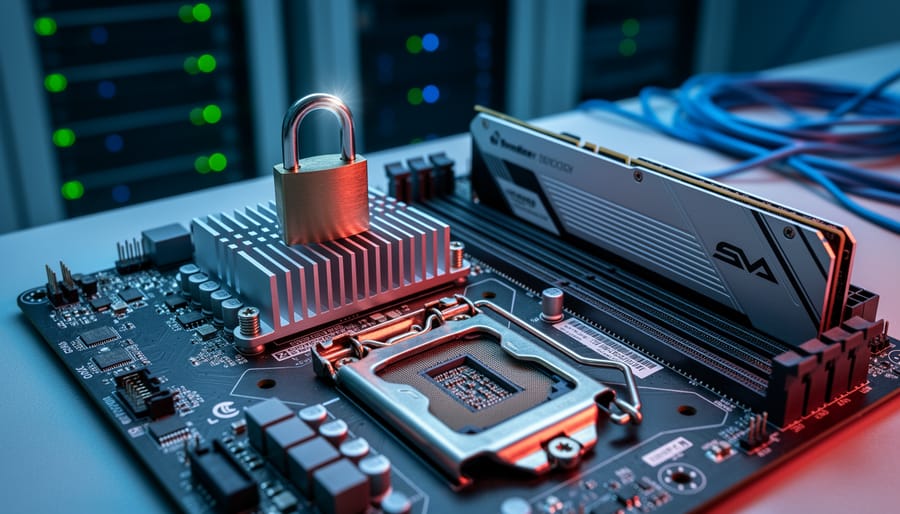
Your AI system might be compromised before it even boots up. Unified Extensible Firmware Interface (UEFI) – the fundamental software that initializes your computer’s hardware before the operating system loads – represents both the foundation of modern computing and a critical vulnerability point that most organizations overlook. When attackers gain access at this firmware level, they operate beneath traditional security tools like antivirus software and firewalls, making detection nearly impossible and removal extraordinarily difficult.
For AI and machine learning systems handling sensitive data or proprietary models, UEFI vulnerabilities create catastrophic risks. A compromised firmware layer can intercept training data, steal model parameters, manipulate inference results, or create persistent backdoors that survive complete operating system reinstalls. Recent discoveries of firmware-level malware like LoJax and MosaicRegressor demonstrate that these threats aren’t theoretical – they’re active in the wild.
UEFI security becomes even more critical as AI hardware accelerates. Specialized processors, TPUs, and GPU clusters processing confidential information require firmware integrity to ensure trusted execution environments. Without proper UEFI protections, the computational power driving your AI innovations becomes a liability rather than an asset.
This guide demystifies UEFI security for AI systems, explaining how firmware-level protections work, what threats target this layer, and practical steps to secure your infrastructure. Whether you’re deploying machine learning models in production, managing AI development environments, or simply wanting to understand how modern hardware protects sensitive computations, understanding UEFI security transforms from optional knowledge to essential expertise. The stakes are clear: protect your foundation, or risk everything built upon it.
What Is UEFI and Why Does It Matter for AI Systems?
Think of UEFI as your computer’s ignition system—the critical component that sparks everything to life before your operating system even knows it exists. UEFI, which stands for Unified Extensible Firmware Interface, is the modern replacement for the older BIOS (Basic Input/Output System) that computers relied on for decades.
Here’s what makes UEFI special: it’s the very first code that runs when you press your computer’s power button. Before Windows, macOS, or Linux loads, before any applications start, UEFI performs essential checks and initializes your hardware components. It’s like a backstage crew that sets up the entire theater before the main performance begins.
For AI systems, this foundational role becomes especially critical. When you’re running machine learning models on specialized hardware, understanding the AI GPU architecture is important, but recognizing that UEFI controls how these powerful components initialize is equally vital. UEFI manages the handoff between your hardware and the operating system that orchestrates your AI workloads.
Why does this matter for security? Because UEFI operates at such a fundamental level, it has unrestricted access to everything in your system. This privileged position makes it incredibly powerful—capable of securing your entire computing environment from the ground up. However, this same power creates vulnerability. If an attacker compromises UEFI, they gain control before any security software loads, making detection nearly impossible.
For AI systems processing sensitive data—whether training models on proprietary datasets, handling personal information, or running confidential business analytics—a compromised UEFI could expose everything. The attacker could intercept data, modify computations, or create persistent backdoors that survive operating system reinstalls.
Understanding UEFI security isn’t just about protecting hardware; it’s about establishing trust in your entire AI infrastructure from the moment you power on.
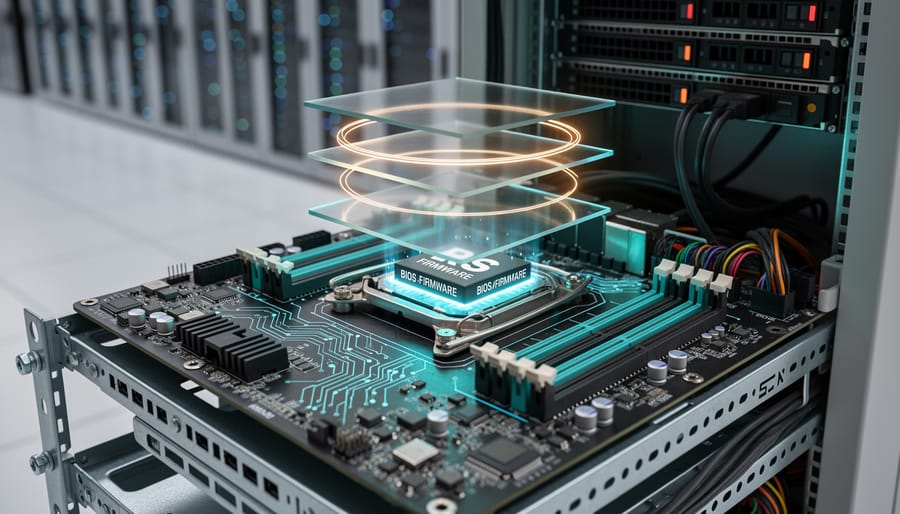
The Hidden Layer: How UEFI Works With Trusted Execution Environments
What Makes a Trusted Execution Environment ‘Trusted’?
Think of a Trusted Execution Environment (TEE) as a vault within a vault. Your computer’s processor is like a secure building, and within that building, a TEE creates an ultra-secure, isolated room where your most sensitive data can be processed without anyone peeking in—not even the operating system itself.
Here’s how it works in practice. Imagine you’re running an AI application that processes confidential medical records. Normally, your operating system, other applications, and potentially even malicious software could theoretically access this data while it’s being processed. A TEE changes this equation entirely by creating a hardware-enforced barrier that walls off specific computations.
When your AI model needs to analyze sensitive information, the TEE acts like a security guard with absolute authority. It ensures that the data enters a protected memory space where only authorized code can touch it. Even if hackers compromise your main operating system, they can’t breach this isolated environment because the protection happens at the hardware level, not the software level.
For AI and machine learning applications, this is particularly valuable. Training models often requires processing vast amounts of personal data—everything from facial recognition datasets to financial records. TEEs ensure this information remains encrypted and isolated during computation, giving you the security of a locked vault while still allowing the necessary processing to happen inside.
This technology transforms how we think about data privacy in AI, making it possible to work with sensitive information without exposing it to unnecessary risk.

The UEFI-TEE Handshake: Starting Security From Boot
When your AI server boots up, UEFI Secure Boot acts as the first security checkpoint, establishing what’s called a “root of trust.” Think of it as a security guard checking credentials before anyone enters a building. During boot, UEFI verifies cryptographic signatures on each component loading into memory, including the Trusted Execution Environment (TEE).
Here’s how it works: UEFI maintains a database of approved cryptographic keys. When initializing a TEE, it checks that the TEE’s bootloader and firmware are signed by trusted vendors. If any signature doesn’t match, the boot process halts, preventing compromised code from running.
In practice, major cloud providers use this handshake process for their AI inference servers. For instance, servers running edge AI processors for medical imaging must verify TEE integrity before processing patient data. Microsoft Azure’s confidential computing platform demonstrates this beautifully: their servers won’t load AI models until UEFI confirms the TEE’s authenticity through multiple verification layers.
This chain of trust ensures that from the moment power flows through the motherboard, security measures are active and verifiable, creating a foundation upon which all subsequent AI operations can safely build.
The Real Threats: UEFI Vulnerabilities That Put AI Hardware at Risk
Firmware Implants and Persistent Attacks
UEFI firmware implants represent one of the most dangerous security threats facing modern computing systems. Unlike traditional malware that lives in your operating system, firmware-level attacks burrow deep into the computer’s foundational code. Think of it this way: if your operating system is like the furniture in your house, the firmware is the foundation itself. When attackers compromise this foundation, they gain persistent access that survives even the most thorough cleaning attempts.
The nightmare scenario works like this: sophisticated attackers install malicious code directly into the UEFI firmware chip on a computer’s motherboard. Even if you completely wipe your hard drive, reinstall the operating system from scratch, or replace your storage drives entirely, the malware remains active and hidden. It loads before your operating system even starts, making it nearly invisible to traditional security tools.
This threat becomes especially critical for AI training systems that house proprietary models worth millions in development costs. Imagine spending months training a cutting-edge language model or computer vision system, only to have attackers extract your model architecture and training data through firmware-level backdoors. The malware could silently exfiltrate model parameters during training cycles, steal datasets, or even manipulate training results to introduce vulnerabilities.
Real-world examples already exist. Security researchers have discovered UEFI rootkits like LoJax and MosaicRegressor targeting high-value systems. These attacks demonstrate that firmware implants aren’t theoretical—they’re actively being deployed against organizations with valuable intellectual property, making robust UEFI security absolutely essential for protecting AI infrastructure.
Supply Chain Tampering
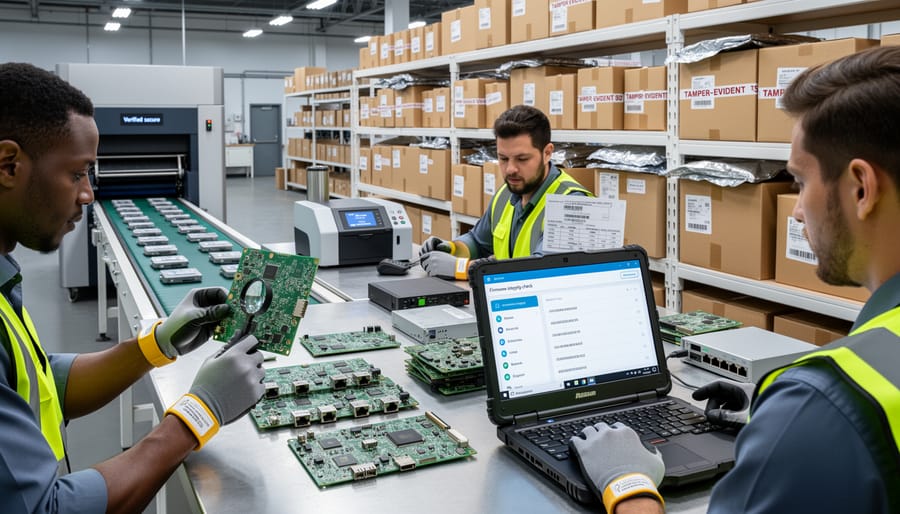
One of the most concerning UEFI security threats happens long before you even power on your device. Supply chain tampering involves malicious actors compromising hardware during manufacturing, shipping, or storage, embedding threats directly into the UEFI firmware.
Imagine ordering a high-performance AI server for your machine learning projects. That server passes through multiple facilities, shipping companies, and warehouses before reaching you. At any point, someone with access could flash modified UEFI firmware containing backdoors or malware. Since UEFI loads before your operating system, traditional antivirus software won’t detect these compromises.
The AI hardware supply chain faces unique vulnerabilities. Specialized GPUs and AI accelerators often come from various international suppliers, creating multiple interception opportunities. In 2018, reports emerged about hardware implants in server motherboards, highlighting how sophisticated supply chain attacks have become.
For organizations deploying AI infrastructure, this threat is particularly serious. A compromised AI training server could leak proprietary models, training data, or research insights to competitors or hostile actors. The tampering might remain undetected for months while silently exfiltrating valuable intellectual property.
Protecting against supply chain attacks requires purchasing hardware from trusted vendors with verified security practices, implementing secure boot verification immediately upon receipt, and maintaining strict chain-of-custody documentation for all AI hardware acquisitions.
Privilege Escalation Through Firmware
UEFI vulnerabilities represent a critical security threat because they operate at the firmware level, which sits below your operating system. Think of UEFI as the foundation of your computer’s security—when attackers compromise it, they gain control before Windows, Linux, or any security software even loads.
When cybercriminals exploit UEFI weaknesses, they can install persistent malware that survives hard drive wipes and operating system reinstalls. This is particularly dangerous for AI systems processing sensitive data. Even advanced protections like Trusted Execution Environments, which create secure zones for critical operations, become vulnerable when the underlying firmware is compromised.
Real-world examples include the MosaicRegressor malware discovered in 2020, which modified UEFI firmware to maintain permanent system access. For AI hardware running machine learning models with proprietary algorithms or confidential training data, such attacks could expose intellectual property or manipulate model outputs without detection.
The severity stems from UEFI’s privileged position: it controls hardware initialization, manages secure boot processes, and establishes the trust chain for everything that follows. Once attackers achieve firmware-level access, they effectively become invisible to traditional antivirus software and can bypass virtually all operating system security measures.
How UEFI Security Protects Your AI Models and Data
Secure Boot: Your First Line of Defense
Before your computer even begins to load its operating system, a critical security checkpoint is already hard at work. Secure Boot acts as a digital gatekeeper, verifying that every piece of code attempting to start your system comes from a trusted source.
Think of Secure Boot as a bouncer at an exclusive club, checking IDs before anyone can enter. When you power on your device, the UEFI firmware examines digital signatures attached to your bootloader and other startup components. These signatures are like tamper-proof seals that prove the software hasn’t been altered by malicious actors.
Here’s how it works in practice: manufacturers embed cryptographic keys into your system’s firmware during production. When your computer boots, Secure Boot compares the signatures on your bootloader against these trusted keys. If the signatures match, the boot process continues normally. If they don’t match or are missing entirely, Secure Boot stops the process cold, preventing potentially harmful code from executing.
This protection is particularly valuable for AI systems processing sensitive data. Imagine an AI server analyzing confidential medical records or financial transactions. Without Secure Boot, attackers could inject malicious firmware that silently steals data before your operating system’s security measures even activate. By establishing trust at the earliest possible moment, Secure Boot ensures your AI hardware starts from a known, secure state every single time.
Measured Boot and Attestation for AI Workloads
When you power on your AI server, how can you be certain it hasn’t been tampered with? This is where measured boot becomes your security watchdog, creating a detailed cryptographic diary of everything that happens during startup.
Think of measured boot as a security camera for your boot process. Instead of visual recordings, it captures cryptographic measurements—unique digital fingerprints—of every component that loads: the firmware, bootloader, operating system kernel, and critical drivers. These measurements are stored in a special hardware chip called the Trusted Platform Module (TPM), which acts like a tamper-proof vault.
Here’s how it works in practice: As each component loads during boot, the TPM calculates its hash value (a unique mathematical signature) and records it. If malware has modified any component, even by a single bit, the hash will completely change—making tampering immediately detectable.
The real power comes through attestation, which is essentially asking your system to prove it’s trustworthy. Remote attestation allows you to verify these boot measurements before processing sensitive AI workloads. Imagine a hospital deploying AI diagnostic tools—they can remotely verify that each device booted securely before allowing it to access patient data.
For AI applications handling proprietary models or confidential training data, this verification step is crucial. Cloud providers increasingly use attestation to prove their infrastructure hasn’t been compromised, giving customers confidence that their AI workloads run in genuinely secure environments. This becomes particularly important when training models worth millions in development costs or processing regulated data requiring strict compliance standards.
Practical Steps to Strengthen UEFI Security on AI Hardware
Enable and Configure Secure Boot Properly
Enabling Secure Boot on your AI workstation or server creates a trusted foundation that verifies each component during startup, ensuring no malicious code compromises your system before your operating system loads.
Start by accessing your UEFI firmware settings. Restart your computer and press the designated key during boot (commonly F2, F12, Del, or Esc—your screen will typically display which key to press). Once inside the UEFI interface, navigate to the Boot or Security menu where you’ll find the Secure Boot option.
Before enabling Secure Boot, ensure your system is in UEFI mode rather than legacy BIOS mode. Most modern AI workstations support UEFI by default, but older hardware may need conversion. Check your current boot mode in the firmware settings under Boot Mode or similar menu items.
Toggle Secure Boot to Enabled. Your system uses cryptographic keys to verify bootloader signatures. Most systems come with Microsoft’s keys pre-installed, which work seamlessly with Windows and many Linux distributions. However, if you’re running custom AI development environments or specialized Linux kernels, you may need to enroll additional keys or use your distribution’s signed bootloader.
Common troubleshooting scenarios include boot failures after enabling Secure Boot. This typically happens when your operating system or bootloader lacks proper signatures. The solution involves either temporarily disabling Secure Boot to boot your system, then updating your bootloader, or enrolling custom keys through the Key Management interface in your UEFI settings.
Keep Firmware Updated (And How to Do It Safely)
Keeping your UEFI firmware updated is like getting regular security patches for your operating system, except it’s even more critical since UEFI sits at the foundation of your entire system. Manufacturers regularly release firmware updates to patch newly discovered vulnerabilities that could compromise your AI hardware before your operating system even loads.
Here’s how to update safely without bricking your system. First, always download firmware updates directly from your motherboard or computer manufacturer’s official website, never from third-party sources. Before updating, back up critical data and ensure you have a stable power source. Many modern systems include a feature called dual BIOS or BIOS flashback that creates a backup copy, acting as a safety net if something goes wrong.
For AI workstations and servers, establish a testing protocol. Update one non-critical machine first and monitor it for several days before rolling out the update to your entire infrastructure. Check release notes carefully to understand what vulnerabilities are being patched and whether the update affects your specific hardware configuration.
Schedule updates during maintenance windows rather than in the middle of training your neural networks. Most enterprise motherboards support remote firmware management, allowing you to update multiple systems efficiently while maintaining detailed logs of what was changed and when.

Verify Your Hardware’s Trusted Computing Capabilities
Before you can secure your AI hardware, you need to know what security features are actually available on your system. Think of this as taking inventory of your security toolbox before starting a project.
For Windows users, checking TPM (Trusted Platform Module) support is straightforward. Press Windows + R, type “tpm.msc,” and hit enter. If TPM is available, you’ll see version and manufacturer details. Mac users can verify their T2 or Apple Silicon chips include secure enclave technology through System Information (Apple menu > About This Mac > System Report > Hardware).
Linux users should open a terminal and type “sudo dmesg | grep -i tpm” to check for TPM detection during boot. For TEE (Trusted Execution Environment) verification, run “ls /dev/tee*” to see if TEE devices are present.
When it comes to popular ML hardware, NVIDIA GPUs with Confidential Computing capabilities can be verified through the nvidia-smi command. Look for “Confidential Compute” in the output. AMD’s SEV (Secure Encrypted Virtualization) can be checked by running “grep sev /proc/cpuinfo” on supported processors.
For comprehensive verification, tools like CPU-Z or HWiNFO provide detailed security feature listings across different hardware components, making it easy to understand your system’s complete security profile.
The Future: UEFI Security in Next-Generation AI Hardware
The landscape of firmware security is evolving rapidly as AI hardware becomes more sophisticated and security threats grow more complex. Industry leaders are already developing next-generation UEFI specifications specifically designed to protect AI workloads from the ground up.
Confidential computing represents one of the most exciting developments in this space. Think of it as creating a locked vault inside your computer’s processor where even the operating system can’t peek inside. Technologies like Intel’s Trust Domain Extensions (TDX) and AMD’s Secure Encrypted Virtualization (SEV) work hand-in-hand with enhanced UEFI implementations to ensure that AI models and training data remain encrypted during processing. This means your proprietary AI algorithms stay protected even in shared cloud environments.
Hardware-based AI accelerators are increasingly being designed with security baked in from the start, rather than added as an afterthought. Modern AI chips now include dedicated security processors that verify firmware signatures before allowing any code to execute. These security co-processors act like vigilant guards, constantly monitoring for unusual behavior that might indicate a firmware-level attack.
The UEFI Forum, the organization responsible for maintaining firmware standards, has been actively updating specifications to address AI-specific security challenges. Recent proposals include standardized interfaces for securely managing AI accelerator firmware and protocols for maintaining chain-of-trust verification across heterogeneous computing environments where CPUs work alongside specialized AI chips.
Looking ahead, we can expect firmware security to become increasingly automated and intelligent. Future UEFI implementations may incorporate machine learning algorithms that detect anomalous boot patterns or unauthorized firmware modifications in real-time. This creates an interesting paradox where AI helps protect AI, establishing multiple layers of defense that adapt and improve over time.
For organizations investing in AI infrastructure today, choosing hardware with robust UEFI security features ensures long-term protection as these emerging standards mature and become industry requirements.
As we’ve explored throughout this guide, UEFI security isn’t just another technical checkbox—it’s the bedrock upon which trustworthy AI systems are built. Think of it this way: you wouldn’t construct a skyscraper on an unstable foundation, and the same principle applies to AI infrastructure. Without secure firmware, even the most sophisticated AI models and expensive hardware remain vulnerable to attacks that can compromise everything from training data to model integrity.
The good news? UEFI security isn’t reserved for cybersecurity experts or firmware engineers. Whether you’re a student experimenting with machine learning on a personal workstation, a developer building AI applications, or a professional managing AI infrastructure, understanding and implementing firmware security measures is within your reach. The practical steps we’ve outlined—from enabling Secure Boot and keeping firmware updated to configuring TPM modules and monitoring boot processes—are accessible actions that significantly strengthen your system’s security posture.
The landscape of AI hardware security continues to evolve rapidly. New threats emerge as AI systems become more valuable targets, but security solutions also advance. Staying informed about firmware security developments, following vendor security advisories, and participating in technology communities will help you maintain robust protection over time.
Take action today. Review your current systems, implement the security measures discussed, and make firmware security a regular part of your AI infrastructure maintenance. Your AI projects deserve a foundation you can trust.