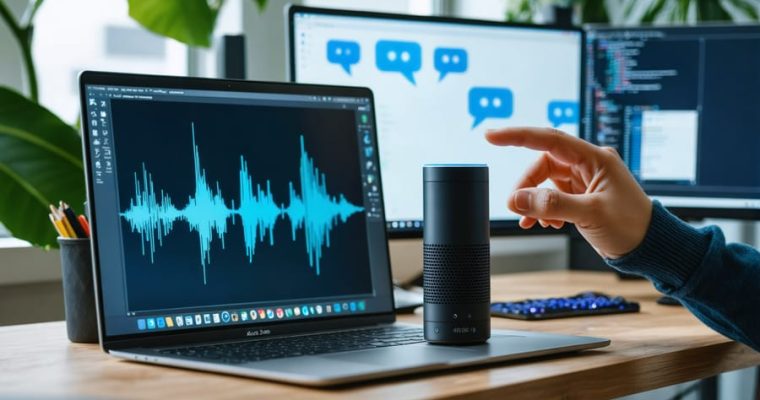
AI User Experience Design

This category explores the intersection of AI and user experience design, focusing on how AI enhances interaction, usability, and accessibility in digital products and services.

How Humans and AI Actually Create Together (And Why Most Teams Get It Wrong)

How Humans and AI Actually Create Together (And Why Most Teams Get It Wrong)

Design AI systems that respond to user input in real-time, creating a feedback loop where both human and machine contribute unique strengths to the creative process. Consider Spotify’s Discover Weekly as a prime example: the algorithm suggests music based on listening patterns, users accept or reject recommendations, and the system learns continuously from these micro-interactions to refine future suggestions.
Map clear roles for human and AI contributions before building your interface. Humans excel at providing context, making nuanced judgments, and defining goals, while AI processes vast datasets, identifies patterns, and generates options at scale. Adobe’s Firefly demonstrates this …

AI Can Now Read Your Emotions—Here’s What That Means for Your Digital Experience

AI Can Now Read Your Emotions—Here’s What That Means for Your Digital Experience

Imagine unlocking your smartphone with just a glance, or having your fitness app detect you’re stressed before you even realize it yourself. This isn’t science fiction—it’s emotion recognition AI transforming how technology understands and responds to human feelings in real-time.
Every day, you generate thousands of micro-expressions, vocal tone shifts, and behavioral patterns that reveal your emotional state. Emotion recognition systems use computer vision, natural language processing, and machine learning algorithms to detect these subtle cues, analyzing everything from facial muscle movements to typing speed. The technology interprets this data to gauge whether you’re …

AI Is Redesigning Graphics for Millions Who Couldn’t See Them Before

AI Is Redesigning Graphics for Millions Who Couldn’t See Them Before

Every day, millions of people struggle to read websites, interpret infographics, or understand visual content because designers overlooked their needs. A color-blind user can’t distinguish between your red error messages and green success notifications. Someone with low vision can’t read your stylish 10-point gray text on a white background. A screen reader user hears “button, button, image, link” with no context about what these elements actually do.
Graphic design accessibility isn’t about compromising aesthetics—it’s about expanding your audience reach by creating visual content everyone can use. The numbers tell the story: 2.2 billion people worldwide live …

Journey Maps vs User Flows: Which AI Tool Actually Maps Your Users Better?

Journey Maps vs User Flows: Which AI Tool Actually Maps Your Users Better?

You’re staring at two UX design terms that sound similar but serve completely different purposes in your product development workflow. Journey maps visualize the entire emotional experience a customer has with your brand across multiple touchpoints—from first discovering your product to becoming a loyal advocate. User flows, by contrast, diagram the specific steps and decision points users take to complete a single task within your interface, like signing up for an account or completing a checkout.
The confusion stems from their overlapping goal of understanding users, but their applications diverge significantly. Journey maps answer “how does our customer feel throughout their …

AI Is Quietly Solving Graphic Design’s Biggest Accessibility Problem

AI Is Quietly Solving Graphic Design’s Biggest Accessibility Problem

Design with accessibility from the start by establishing a minimum contrast ratio of 4.5:1 for body text and 3:1 for large text, ensuring readability for users with visual impairments. Test your color choices against Web Content Accessibility Guidelines (WCAG) standards using browser-based contrast checkers that provide instant feedback on whether your palette meets compliance thresholds.
Implement clear visual hierarchy through size, spacing, and layout rather than relying solely on color to convey meaning. Users with color blindness need alternative indicators like icons, patterns, or text labels to distinguish between different states, categories, or actions. Apply the “squint test” to …

How AI Is Reshaping 3D Interfaces to Fit Your Every Move

How AI Is Reshaping 3D Interfaces to Fit Your Every Move

Imagine reaching into a holographic display to rotate a 3D architectural model with your bare hands, or using gesture controls to navigate through complex medical imaging data suspended in mid-air. These aren’t science fiction scenarios—they represent the rapidly evolving field of three-dimensional user interfaces, where digital interaction breaks free from traditional flat screens and enters the space around us.
Three-dimensional user interfaces (3D UIs) transform how we interact with computers by enabling direct manipulation of digital objects in spatial environments. From virtual reality headsets to augmented reality smartphone apps, these interfaces are reshaping industries including …

AI Is Reshaping Accessibility Jobs in UX—Here’s What Designers Need to Know

AI Is Reshaping Accessibility Jobs in UX—Here’s What Designers Need to Know

The accessibility job market is transforming at an unprecedented pace, with artificial intelligence creating roles that didn’t exist five years ago. Companies now recognize that accessible design isn’t just about compliance—it’s about reaching the 1.3 billion people worldwide with disabilities, representing a $13 trillion market opportunity.
Traditional UX accessibility roles focused primarily on screen reader testing and WCAG compliance. Today’s positions demand expertise in AI-powered assistive technologies, voice interfaces, automated accessibility testing tools, and inclusive machine learning systems. Major tech companies are hiring accessibility-focused AI trainers who …

Why Your AI Chatbot Feels Robotic (And How Conversational AI Designers Fix It)

Why Your AI Chatbot Feels Robotic (And How Conversational AI Designers Fix It)

Every conversation you’ve had with Siri, Alexa, or a customer service chatbot has passed through the hands of a conversational AI designer—a professional who architects how machines talk to humans. This role sits at the crossroads of psychology, linguistics, technology, and design, transforming cold algorithms into interactions that feel natural, helpful, and sometimes even delightful.
The numbers tell a compelling story. Companies implementing well-designed conversational AI see customer satisfaction scores jump by 20-30%, while reducing support costs by up to 40%. But poorly designed AI conversations frustrate users, damage brand reputation, and get abandoned mid-interaction. The difference …

How AI Reads Your Mind to Build Interfaces That Adapt to You

How AI Reads Your Mind to Build Interfaces That Adapt to You

Imagine opening your favorite app and finding it already knows what you need—the interface rearranged, content prioritized, and features surfaced before you even ask. This isn’t magic; it’s **AI-driven meaning** at work, a revolutionary approach where artificial intelligence interprets your intentions, behaviors, and context to create interfaces that adapt uniquely to you.
Traditional digital interfaces treat every user identically, forcing millions of people through the same rigid menus and workflows. AI-driven meaning flips this paradigm entirely. By analyzing patterns in how you click, scroll, search, and interact, machine learning algorithms decode the “why” behind your …

AI Can Now Read Your Emotions Through Your Screen (And Why UX Designers Need to Pay Attention)

AI Can Now Read Your Emotions Through Your Screen (And Why UX Designers Need to Pay Attention)

# AI Emotion Recognition in UX Design: When Interfaces Read Your Feelings
Your smartphone camera just detected frustration in your furrowed brow. Your smart TV noticed you yawning and adjusted the content recommendations. Your car’s dashboard recognized stress in your facial expression and activated calming ambient lighting. This isn’t science fiction—it’s emotion AI, and it’s quietly reshaping how we interact with digital products.
Emotion recognition technology uses machine learning algorithms to identify human feelings through facial expressions, voice patterns, text sentiment, and physiological signals. For UX designers, this represents a fundamental shift: …