

Design AI systems that respond to user input in real-time, creating a feedback loop where both human and machine contribute unique strengths to the creative process. Consider Spotify’s Discover Weekly as a prime example: the algorithm suggests music based on listening patterns, users accept or reject recommendations, and the system learns continuously from these micro-interactions to refine future suggestions.
Map clear roles for human and AI contributions before building your interface. Humans excel at providing context, making nuanced judgments, and defining goals, while AI processes vast datasets, identifies patterns, and generates options at scale. Adobe’s Firefly demonstrates this division by letting designers describe visual concepts in plain language while the AI rapidly produces multiple variations, leaving final creative decisions with the human.
Structure interactions using progressive disclosure, where AI assistance scales with task complexity. Start with simple suggestions for routine work, then offer deeper collaboration for complex challenges. Grammarly follows this pattern by providing basic spelling corrections automatically while reserving advanced tone and clarity suggestions for when users actively seek improvement.
Test your co-creation patterns with diverse user groups to identify when AI feels helpful versus intrusive. GitHub Copilot succeeds because it suggests code completions without forcing acceptance, maintaining developer agency throughout the workflow. The best human-AI partnerships feel like working with a capable assistant who enhances your abilities rather than replacing your judgment.
Avoid the common trap of over-automation that removes human control. Users disengage when AI makes irreversible decisions or hides its reasoning process. Transparency about AI limitations and clear override mechanisms build trust and sustained engagement in collaborative systems.
What Human-AI Co-Creation Really Means

The Shift from Tools to Partners
Remember when spell-check was revolutionary? You’d type a document, and your computer would underline mistakes in red. Simple, effective, but entirely reactive. Fast forward to today, and we’re working alongside AI systems that don’t just fix our errors—they actively participate in creating solutions with us.
This transformation represents a fundamental shift in how we interact with technology. AI has graduated from being a passive tool that waits for commands to becoming an active partner that anticipates needs, offers suggestions, and even challenges our assumptions. Think of modern writing assistants like Grammarly or Jasper. They don’t merely correct spelling anymore; they propose alternative sentence structures, adjust tone for different audiences, and suggest content improvements you might not have considered.
In the design world, tools like Adobe Sensei and Figma’s AI features work similarly. Instead of simply executing your commands to resize an image or change colors, they analyze your project and recommend complementary color palettes, optimal layouts, and design elements that align with current trends. These are interfaces that learn from your preferences and adapt their suggestions accordingly.
This partnership model changes everything. Rather than you doing all the creative heavy lifting while software handles mechanical tasks, AI now shares the cognitive load. It’s like having a knowledgeable colleague who brings fresh perspectives to your work, making the creative process more dynamic and, often, more innovative than working alone.
Why Traditional UX Design Falls Short
Traditional UX design was built for static systems with predictable behaviors. You click a button, and you know exactly what happens next. The interface remains constant, and the rules never change. But AI throws this playbook out the window.
Think about designing a simple search bar. In a traditional system, you optimize the placement, size, and color. Done. But when AI powers that search bar, it learns from every query, adapts its suggestions, and personalizes results based on user behavior. The interface might look the same, but what happens behind it evolves constantly.
Here’s the real challenge: conventional UX treats users as active participants and systems as passive tools. AI flips this dynamic entirely. Your AI assistant doesn’t just respond to commands—it anticipates needs, offers suggestions, and sometimes makes autonomous decisions. This creates a genuine two-way conversation rather than a one-directional command flow.
Traditional frameworks also struggle with transparency. When a static system produces an output, the path is clear. But when AI generates a recommendation, users often need to understand why and how—questions that standard UX patterns weren’t designed to address. This gap becomes critical when users need to trust, verify, or collaborate with AI systems rather than simply use them.
The Five Essential Co-Creation Patterns
Pattern 1: The Suggestion-Refinement Loop
The suggestion-refinement loop represents one of the most intuitive ways humans and AI work together. Think of it as a creative conversation where the AI proposes ideas, and you guide it toward what you actually need through ongoing feedback.
This pattern shines in tools like DALL-E or Midjourney for image generation. You start with a text prompt, the AI generates several visual options, and you refine your request based on what you see. Maybe the colors aren’t quite right, or the composition needs adjustment. Each iteration brings you closer to your vision, with the AI learning from your preferences in real-time.
Code completion tools like GitHub Copilot follow this same dance. As you write a function, the AI suggests how to complete it. You might accept the suggestion entirely, modify parts of it, or reject it and keep typing. The AI watches your choices and adjusts its next suggestions accordingly.
The beauty of this pattern lies in its flexibility. You’re not locked into the AI’s first attempt. Instead, you maintain creative control while leveraging the AI’s ability to generate multiple possibilities quickly. It’s particularly effective when you know what you want but need help exploring different approaches to get there. The AI handles the heavy lifting of creation, while you provide the critical human judgment that shapes the final result.

Pattern 2: Human Intent, AI Execution
This pattern represents one of the most practical applications of human-AI collaboration today. Think of it as having a highly skilled assistant who excels at execution but needs your creative vision and strategic direction to get started.
In content creation, this pattern shines. A marketing professional might tell an AI system, “Create a week’s worth of social media posts promoting our new eco-friendly product line, targeting environmentally conscious millennials.” The AI then generates multiple post variations, suggesting optimal posting times and hashtags, while the human reviews and selects the best options. The person provides the strategic intent—brand voice, target audience, campaign goals—and the AI handles the time-consuming work of drafting, formatting, and initial optimization.
Data analysis offers another compelling example. A business analyst might instruct an AI tool to “analyze last quarter’s sales data and identify patterns in customer purchasing behavior across different regions.” The AI processes thousands of data points, generates visualizations, and highlights trends that would take humans days to uncover manually. The analyst then interprets these findings within the broader business context and makes strategic recommendations.
This pattern works because it leverages each party’s strengths: human creativity, judgment, and strategic thinking combined with AI’s speed, consistency, and ability to handle repetitive tasks at scale.
Pattern 3: AI Augmentation of Human Judgment
In this pattern, AI serves as a powerful advisor rather than a decision-maker. Think of it as having a knowledgeable assistant who does the heavy analytical lifting while you maintain the final say. The AI processes vast amounts of data, identifies patterns, and surfaces insights that would take humans considerably longer to discover—but crucially, a human expert reviews these recommendations and makes the ultimate call.
Healthcare diagnostics provides a compelling example. Radiologists use AI systems that analyze medical scans and flag potential abnormalities like tumors or fractures. The AI might highlight suspicious areas and assign probability scores, but the trained physician examines these findings, considers the patient’s full medical history, and makes the final diagnosis. This combination leverages AI’s speed and pattern recognition while preserving the irreplaceable value of human expertise, clinical judgment, and ethical reasoning.
Financial analysis operates similarly. Investment firms deploy AI tools that analyze market trends, company financials, and economic indicators to suggest promising opportunities. However, human analysts review these recommendations, factoring in qualitative elements like management quality, industry dynamics, and geopolitical risks that AI might miss.
This pattern works best when decisions require nuanced judgment, ethical considerations, or accountability—situations where humans and AI each contribute their unique strengths to reach better outcomes together.
Pattern 4: Parallel Creation and Synthesis
In this pattern, humans and AI tackle different components of a project simultaneously, working in their respective areas of strength before merging their contributions into a unified whole. Think of it as a creative relay where both parties run their portions of the race at the same time.
In music production, this pattern shines brilliantly. A human composer might craft the emotional melody and lyrical themes while AI simultaneously generates complementary harmonies, rhythm patterns, or instrumental arrangements. Once both complete their tasks, they synthesize these elements into a polished track. The AI handles the technical complexity of layering sounds and maintaining consistent tempo, while the human ensures the piece resonates emotionally with listeners.
Architectural design offers another compelling example. Architects conceptualize the aesthetic vision and functional requirements of a building while AI runs parallel simulations for structural integrity, energy efficiency, and environmental impact. The architect focuses on human experience and spatial beauty, and the AI crunches numbers on load-bearing calculations and climate optimization. When combined, these parallel efforts produce designs that are both visually stunning and structurally sound.
This pattern accelerates workflows dramatically because it eliminates sequential bottlenecks. Rather than waiting for one party to finish before the other begins, both contribute simultaneously, making it ideal for time-sensitive projects requiring diverse expertise.
Pattern 5: Teaching Through Interaction
Think of this pattern as teaching a smart assistant your preferences over time. Every time you correct an AI’s suggestion, approve its recommendation, or adjust its output, you’re essentially training it to work better with you. This creates a feedback loop where the AI learns from your interactions and becomes increasingly attuned to your specific needs.
Consider how streaming services learn your viewing preferences. When you skip a show’s intro, rate a movie, or watch something to completion, the AI absorbs these signals. It then refines future recommendations based on your behavior. The same principle applies across various applications, from email filters that learn which messages you consider spam to writing assistants that adapt to your communication style.
This iterative learning process is what makes AI personalization so powerful in collaborative settings. The AI doesn’t just follow static rules; it evolves alongside you. A design tool might learn which color palettes you prefer, while a coding assistant remembers your naming conventions and architectural patterns.
The key to success with this pattern is providing consistent, clear feedback. The more you interact and correct course when needed, the more effectively the AI adapts to your workflow. This creates a genuinely personalized partnership where the technology becomes an extension of your working style rather than a generic tool.
Designing Interfaces That Enable Co-Creation
Making AI Thinking Visible
Imagine asking someone for directions and receiving only a final answer: “Turn left in 500 meters.” You’d probably feel more confident if they explained, “Turn left at the traffic light because the main road is closed for construction.” The same principle applies to AI systems.
When AI makes its thinking visible, users understand not just what decision was made, but why. This transparency might include showing confidence levels (like “85% certain this is a cat”), revealing which factors influenced the decision (perhaps noting “identified whiskers, pointed ears, and fur texture”), or explaining alternative options that were considered. Think of how Netflix suggests movies—it doesn’t just list titles, but explains “Because you watched sci-fi thrillers” or “Trending in your area.”
This visibility serves multiple purposes. First, it builds trust by demystifying the AI’s process. Second, it helps users identify when the AI might be wrong or working with incomplete information. Third, it enables genuine collaboration—users can provide better input when they understand how the AI processes information.
The key is balance. Too much technical detail overwhelms users, while too little leaves them feeling like they’re working with a black box. Effective human-AI interaction finds the sweet spot where transparency empowers without confusing.
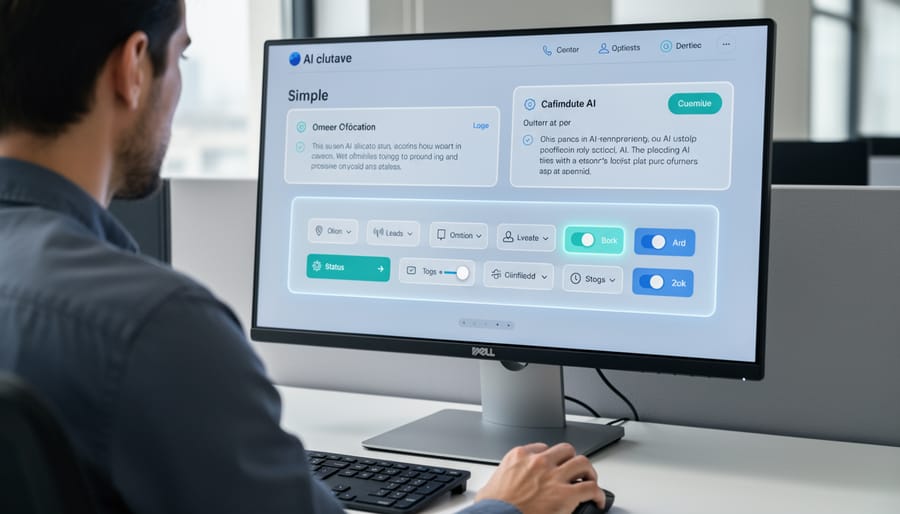
Designing for Human Control and Override
Effective human-AI co-creation requires giving users meaningful control without creating decision paralysis. Think of it like driving a car with adaptive cruise control—you maintain ultimate authority while the AI handles routine adjustments.
Start with adjustment sliders that let users fine-tune AI outputs. For instance, an AI writing assistant might offer sliders for tone (formal to casual) or length (brief to detailed). These visual controls make abstract AI parameters tangible and immediately understandable.
Undo and redo functions are essential safety nets. When Spotify’s AI suggests a playlist, users can easily remove songs they don’t like without starting over. This builds trust because users know they can experiment without consequences.
Constraint settings help users establish boundaries upfront. A graphic design tool might let you specify brand colors or style preferences before the AI generates options. This prevents the AI from wandering too far from your vision while still offering creative suggestions.
The key is progressive disclosure—present basic controls immediately, but tuck advanced options behind an “Advanced Settings” menu. This approach welcomes beginners while empowering experienced users who want deeper customization. Remember, good control interfaces feel empowering, not overwhelming.
Building Effective Feedback Loops
The most powerful AI systems learn and improve through continuous user feedback, but this only works when the feedback process feels natural and effortless. Think of it like teaching a new colleague—you don’t hand them a manual; you guide them through real situations with gentle corrections and explanations.
Effective feedback loops start with making corrections easy. When your AI misunderstands a request, users should be able to simply click a thumbs down icon or type “not quite” to trigger a correction flow. Spotify’s Discover Weekly, for example, learns music preferences through simple like/dislike buttons, gradually refining its recommendations without requiring users to fill out detailed surveys.
Context is equally important. Instead of asking “Was this response helpful?”—which feels vague—try specific prompts like “Did this answer your pricing question?” This helps the AI understand exactly what went wrong and how to improve.
Consider implementing progressive feedback mechanisms that match user engagement levels. Casual users might only tap quick reaction buttons, while power users could access advanced correction tools. Following established design principles ensures these feedback options remain intuitive across different user types.
The key is closing the loop—showing users that their feedback created real change. When someone corrects an AI’s mistake, acknowledge it immediately with messages like “Got it! I’ll remember you prefer morning reminders.” This transparency builds trust and encourages continued teaching.
Common Pitfalls and How to Avoid Them
The ‘Black Box’ Problem
When AI systems operate as mysterious “black boxes,” users quickly become frustrated and distrustful. Imagine asking an AI assistant for restaurant recommendations and receiving suggestions without any explanation. Why these places? What criteria did it use? This opacity creates anxiety and reduces user confidence.
Research shows that transparency dramatically improves user satisfaction. Netflix transformed their recommendation experience by adding simple explanations like “Because you watched…” beneath suggestions. Similarly, Spotify’s “Discover Weekly” playlist includes context about why each song appears, making the AI feel less arbitrary and more like a thoughtful companion.
The solution isn’t revealing complex algorithms, but providing appropriate context. When LinkedIn’s AI suggests job matches, it highlights which skills align with opportunities. When Grammarly corrects writing, it explains the reasoning behind each suggestion. These simple transparency measures help users understand, trust, and collaborate more effectively with AI systems, transforming frustration into confidence.
Over-Automation Trap
When AI systems handle too many decisions independently, users often feel disconnected and frustrated, even when the technology works flawlessly. This paradox happens because people need a sense of control and understanding in their interactions with technology.
Consider a smart email assistant that automatically drafts and sends responses without human review. While technically efficient, users quickly lose trust because they can’t verify what was sent on their behalf. They feel reduced to passive observers rather than active participants.
The key is finding the sweet spot between automation and agency. Netflix demonstrates this balance well—its algorithm recommends shows, but you always make the final selection. You feel guided, not controlled.
Research shows that people prefer systems where they can see the AI’s reasoning and adjust its suggestions. When users understand how decisions are made and retain veto power, satisfaction increases dramatically. The goal isn’t to replace human judgment but to enhance it through thoughtful collaboration.
Ignoring Context and Nuance
One of the most frustrating missteps in human-AI collaboration happens when systems treat all users and situations identically. Imagine an AI writing assistant that suggests elementary vocabulary to a PhD researcher, or a medical AI that provides the same level of detail to both doctors and patients. This context-blindness creates friction rather than flow.
Effective co-creation requires AI systems to adapt their responses based on user expertise, task urgency, and environmental factors. A financial AI, for instance, should recognize whether it’s helping a novice investor learn basics or supporting a professional making time-sensitive decisions. Similarly, AI emotion recognition can help systems detect user frustration and adjust their communication style accordingly.
The damage goes beyond annoyance. When AI ignores nuance, users either abandon the tool or waste time correcting inappropriate suggestions. Strong co-creation patterns include user profiling, contextual awareness, and adaptive interfaces that learn from interaction patterns, ensuring the AI becomes a genuine partner rather than a one-size-fits-all assistant.
Real-World Applications Across Industries
Creative Industries: Content and Design
In creative fields, AI tools are becoming collaborative partners rather than replacements for human imagination. Graphic designers use AI-powered platforms like Adobe Firefly to generate initial concepts, then refine them with their artistic vision—the AI handles time-consuming variations while designers make critical aesthetic decisions. Writers employ tools like ChatGPT for brainstorming and first drafts, but bring irreplaceable storytelling instincts, emotional depth, and brand voice that algorithms can’t replicate. In music production, composers work with AI systems that suggest chord progressions or generate backing tracks, freeing them to focus on melody, lyrics, and the emotional arc of their songs. This co-creation pattern follows a consistent rhythm: AI accelerates the exploration phase by producing multiple options quickly, while humans apply judgment, taste, and cultural understanding to select and polish the final work. The result isn’t diminished creativity—it’s amplified productivity that lets creators spend more time on uniquely human aspects of their craft.
Professional Services: Analysis and Decision-Making
In professional settings where expertise matters most, AI serves as a powerful thinking partner rather than a replacement. Consider legal research: attorneys now use AI systems to scan thousands of case files in minutes, identifying relevant precedents that might take weeks to find manually. The lawyer still makes the final argument and strategic decisions, but AI handles the heavy lifting of information gathering.
Medical diagnosis showcases another compelling example. Radiologists partner with AI tools that flag potential anomalies in X-rays and MRIs, acting as a second pair of eyes that never gets tired. The human doctor brings contextual understanding of the patient’s history, symptoms, and lifestyle factors that AI cannot fully grasp. Together, they achieve more accurate diagnoses than either could alone.
Financial planners similarly benefit from AI-powered analysis that processes market data, economic indicators, and client portfolios in real-time. The AI identifies patterns and opportunities, while the human advisor understands the client’s emotional relationship with money, life goals, and risk tolerance. This collaboration creates personalized strategies that balance data-driven insights with human wisdom and ethical judgment.
Software Development: Coding and Testing
In modern software development, AI coding assistants like GitHub Copilot and ChatGPT have transformed how developers write and refine code. This collaboration follows a natural back-and-forth rhythm: a developer describes what they need, the AI suggests code snippets or entire functions, and the developer reviews and adjusts the output. For example, when building a login authentication feature, you might ask an AI tool to generate the initial code structure, then refine it by requesting error handling improvements or security enhancements.
The debugging process showcases this partnership particularly well. Developers paste error messages into AI tools, which analyze the problem and suggest fixes. Rather than replacing human judgment, AI accelerates the troubleshooting cycle—you still decide which solution makes sense for your specific context. Similarly, code optimization becomes interactive: AI might propose three different approaches to improve performance, while you evaluate trade-offs based on your application’s unique requirements. This iterative dance between human creativity and AI efficiency represents a practical co-creation pattern that’s already reshaping daily development workflows.

The Future of Human-AI Collaboration
The landscape of human-AI collaboration is evolving rapidly, moving beyond simple command-and-response interactions toward genuinely creative partnerships. Understanding these emerging trends can help you prepare for the next generation of AI-powered tools and experiences.
Multimodal interactions are transforming how we communicate with AI systems. Instead of relying solely on text or voice, future interfaces will seamlessly blend gestures, images, speech, and even emotional cues. Imagine sketching a rough design on your tablet while verbally describing your vision, as AI simultaneously processes both inputs to generate refined concepts. This mirrors how humans naturally communicate, making collaboration feel more intuitive and productive.
Adaptive AI personalities represent another frontier. Rather than one-size-fits-all assistants, AI systems are learning to adjust their communication style based on user preferences and context. Some users prefer direct, efficient responses, while others benefit from detailed explanations. Future AI will recognize these patterns and modify its behavior accordingly, creating adaptive interfaces that feel personalized without requiring manual configuration.
Design principles are also evolving to support these richer interactions. Transparency remains crucial—users need to understand when AI is uncertain or making assumptions. However, new principles are emerging around graceful degradation, where systems maintain usefulness even when individual components fail, and progressive disclosure, which reveals complexity only when users need it.
Perhaps most exciting is the shift toward AI as creative partner rather than mere tool. We’re moving from “AI does what I tell it” to “AI helps me explore possibilities I hadn’t considered.” This collaborative dynamic will unlock new forms of problem-solving and innovation across every field, from architecture to education to scientific research.
The future of human-AI collaboration isn’t about building systems that replace human judgment—it’s about crafting thoughtful partnerships where each contributor plays to their strengths. AI excels at processing vast datasets, identifying patterns, and handling repetitive tasks at scale. Humans bring contextual understanding, ethical reasoning, creativity, and the ability to navigate nuanced situations that don’t fit neat categories.
The co-creation patterns we’ve explored—whether complementary, iterative refinement, or delegated oversight—all share a common thread: they recognize that the most powerful outcomes emerge when humans and AI work together, not in isolation. A design tool that suggests layouts while you make final aesthetic choices. A writing assistant that drafts content while you inject personality and verify accuracy. A diagnostic system that flags anomalies while medical professionals apply clinical judgment.
As you implement these patterns in your own projects, start small. Choose one interaction point where human-AI collaboration could add value, test it with real users, and refine based on what you learn. Stay curious about emerging capabilities—the landscape of what’s possible continues to evolve rapidly. The organizations and individuals who will thrive aren’t those who view AI as either a threat or a magic solution, but those who thoughtfully design the dance between human insight and machine capability.