

Evaluate your current data pipeline to identify whether velocity, volume, or variety creates your biggest bottleneck. AI workloads generating terabytes of training data daily require fundamentally different architectures than applications serving real-time inference requests or managing diverse unstructured datasets like images and sensor readings.
Match storage solutions to your specific AI use case rather than defaulting to popular options. Object storage systems like Amazon S3 or MinIO excel at storing massive datasets for batch training jobs, while distributed file systems such as Hadoop HDFS handle complex analytics across clusters. For real-time applications demanding microsecond latency, solid-state drives paired with in-memory databases become non-negotiable.
Calculate total cost of ownership beyond initial hardware expenses. Cloud storage appears economical for startups but can escalate dramatically as data scales into petabytes. Consider egress fees, API call charges, and the hidden costs of data transfer between regions when models and datasets reside in different locations.
Implement tiered storage strategies that automatically move data based on access patterns. Hot data requiring immediate access stays on fast SSDs, warm data migrating to standard drives, and cold archival data moving to tape or glacier storage. This approach can reduce storage costs by 60-80% while maintaining performance for active projects.
The explosion of AI applications has transformed data storage from a simple infrastructure decision into a critical performance and cost factor that directly impacts your ability to train models, serve predictions, and scale operations effectively.
The AI Data Storage Crisis Nobody Talks About
Imagine training a cutting-edge AI model only to discover that your storage system has become the biggest roadblock. This isn’t a hypothetical scenario. It’s happening right now in data science labs and tech companies worldwide, creating what many insiders call the silent crisis of modern AI development.
Here’s the problem: AI and machine learning workflows generate data at a scale that makes traditional business data look modest by comparison. A single autonomous vehicle produces roughly 4 terabytes of data per day. Training GPT-3 required processing 45 terabytes of text data. Medical imaging AI projects routinely handle petabytes of scans and annotations. This exponential growth isn’t just about bigger numbers, it fundamentally changes what we need from storage systems.
The challenge stems from what data scientists call the three V’s: volume, velocity, and variety. Volume refers to the sheer amount of data, which we’ve touched on. Velocity describes how quickly data needs to be read and written during training cycles. Modern neural networks might process millions of images per hour, requiring storage systems to serve data faster than traditional storage fails to deliver. Variety means AI datasets come in countless formats, from structured numerical data to unstructured video files, text documents, and sensor readings, all needing simultaneous access.
Consider a real-world example from a computer vision startup. Their team spent six months developing an object recognition model, only to find their training pipeline spent 80 percent of its time waiting for data to load from their network storage. Their GPUs, costing thousands of dollars, sat mostly idle. The bottleneck wasn’t their algorithms or computing power, it was how quickly they could feed information to their models.
Another common scenario involves version control. AI teams create dozens of dataset versions during experimentation, each potentially hundreds of gigabytes. Without proper storage architecture, teams struggle to track which dataset version produced which results, leading to duplicated work and wasted resources.
These aren’t edge cases. Storage bottlenecks regularly add weeks or months to AI project timelines, turning what should be rapid iteration into frustrating waiting games. Understanding these unique challenges is the first step toward choosing storage solutions that actually work for AI workloads.
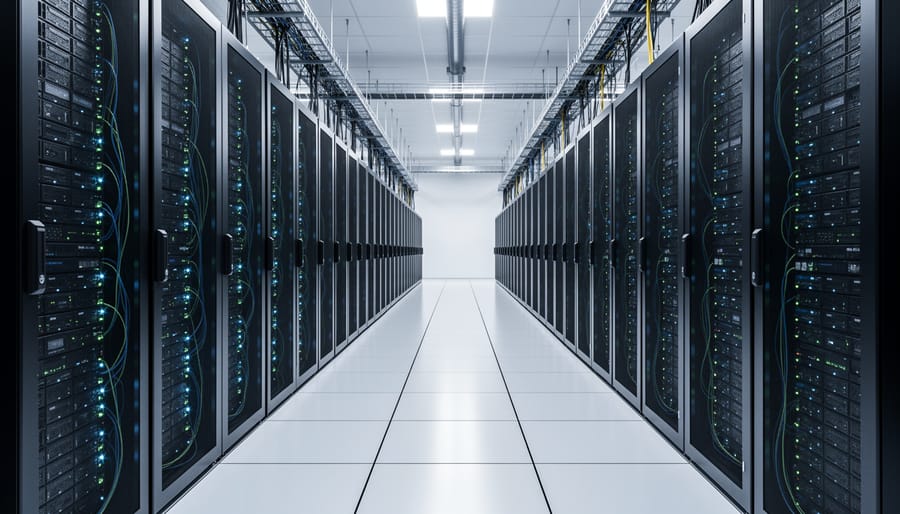
What Makes AI Storage Different From Regular Storage
Speed Requirements for Training Workloads
Think of IOPS (Input/Output Operations Per Second) as the number of times your storage system can read or write data each second. It’s like measuring how many packages a delivery truck can drop off in an hour—higher numbers mean faster service.
When training AI models, your GPUs are like hungry athletes waiting to be fed data. If your storage can’t deliver training examples fast enough, those expensive GPUs sit idle, wasting both time and money. Modern GPU idle time can cost hundreds of dollars per hour in large-scale operations.
Here’s a real-world comparison: traditional hard drives deliver around 100-200 IOPS, while enterprise SSDs can reach 100,000+ IOPS. For deep learning workloads processing massive image datasets or video files, this difference determines whether your model trains in days or weeks.
The bottleneck often isn’t your compute power—it’s getting data through the pipeline quickly enough. That’s why modern AI infrastructure pairs powerful GPUs with equally capable memory architectures and high-IOPS storage solutions to keep the training pipeline flowing smoothly.
Scalability Beyond Traditional Limits
Traditional storage systems hit a wall when AI projects grow. Imagine starting with a few terabytes for a pilot project, only to find yourself needing petabytes within months as your model training intensifies. This explosive growth would typically require expensive system overhauls and migration headaches.
Modern big data storage solutions eliminate this pain point through elastic scalability. Think of platforms like Amazon S3 or Google Cloud Storage as expandable containers that grow with your needs, no questions asked. A healthcare startup might begin storing medical imaging data for 10,000 patients, then seamlessly scale to 10 million as their AI diagnostic tool gains adoption, all without touching their core infrastructure.
Object storage architectures make this possible by distributing data across countless nodes. When you need more capacity, the system simply adds nodes behind the scenes. You pay only for what you use, whether that’s 100 gigabytes today or 100 petabytes next year. This pay-as-you-grow model transforms storage from a limiting factor into an enabler, letting data scientists focus on model performance rather than infrastructure constraints. The best part? Your applications continue running without interruption as storage expands beneath them.
Big Data Storage Solutions Built for AI

Object Storage for AI Data Lakes
When your AI model needs to learn from petabytes of images, videos, or text documents, traditional file systems quickly hit their limits. This is where object storage shines as the backbone of modern AI data lakes.
Object storage systems like Amazon S3, Google Cloud Storage, and the open-source MinIO treat each piece of data as a distinct object with its own unique identifier and metadata. Unlike traditional hierarchical file systems that organize data in folders, object storage uses a flat structure that can scale infinitely. Think of it as a massive library where every book has a unique barcode, making it instantly retrievable regardless of how many millions of volumes you add.
Why does this matter for AI? Consider how Tesla manages its autonomous driving data. The company collects billions of images and video frames from its vehicle fleet, storing this unstructured data in object storage systems. Each image becomes an object with metadata tags describing the driving conditions, location, and relevant features. When training their neural networks, Tesla’s engineers can quickly retrieve specific scenarios like rainy weather or construction zones without searching through complex folder hierarchies.
The cost benefits are substantial too. Object storage typically costs one-fifth of traditional block storage, making it economical to keep historical training datasets accessible. Spotify uses object storage to maintain years of user listening patterns and audio files, enabling their recommendation algorithms to learn from an ever-growing dataset without breaking the budget.
For smaller teams, MinIO offers an open-source alternative that you can deploy on your own infrastructure, providing S3-compatible object storage without vendor lock-in. This flexibility has made it popular among startups building computer vision applications, where storing millions of labeled images is essential but cloud costs need careful management.
Distributed File Systems That Scale With Your Models
Imagine trying to store a massive library across just one shelf—eventually, you’d run out of space, and if that shelf breaks, you lose everything. This is exactly the problem distributed file systems solve for AI and machine learning workflows. They’re designed to spread your data across multiple machines, or nodes, creating a resilient network that grows with your needs.
Hadoop HDFS (Hadoop Distributed File System) pioneered this approach for big data applications. Instead of keeping all your training data on a single server, HDFS breaks files into blocks and distributes copies across different machines in a cluster. When you’re training a large language model on terabytes of text data, HDFS allows dozens of computers to read different portions simultaneously. This parallel access dramatically speeds up the data loading phase that often bottlenecks training jobs.
The beauty of this architecture lies in its redundancy. HDFS typically keeps three copies of each data block on separate nodes. If one machine fails during a critical training run, your job continues uninterrupted using the backup copies. No single point of failure means no panicked calls at 2 AM because a hard drive died mid-training.
Ceph takes a similar but more flexible approach, offering object, block, and file storage in one system. It’s particularly popular in cloud environments where you need to scale storage independently from compute resources. Many AI teams choose Ceph when they want storage that adapts seamlessly as their model sizes grow from gigabytes to petabytes.
Both systems use clever algorithms to balance data across nodes, ensuring no single machine becomes overloaded. This balanced distribution means your entire training cluster can access data efficiently, keeping those expensive GPUs fed with information rather than waiting idly.
High-Performance Parallel Storage
When you’re training massive AI models or processing enormous datasets simultaneously, standard storage systems hit a wall. This is where parallel file systems step in, offering the kind of speed that makes traditional storage look like dial-up internet.
Think of parallel storage like having multiple checkout lanes at a grocery store instead of just one. Systems like Lustre and BeeGFS split your data across many storage servers, allowing hundreds or thousands of compute nodes to read and write simultaneously without creating bottlenecks. This architecture can deliver throughput measured in hundreds of gigabytes per second, sometimes even terabytes.
Lustre, originally developed for supercomputing, powers some of the world’s fastest research facilities. BeeGFS takes a more flexible approach, making it easier to deploy and scale as your needs grow. Both excel at handling the massive parallel workloads common in AI training.
You need this level of performance when your AI workloads involve large-scale deep learning with huge datasets, high-resolution image or video processing, or genomics research where files reach terabytes in size. For example, training a large language model might require your system to feed training data to thousands of GPUs simultaneously. Without parallel storage, those expensive GPUs would sit idle, waiting for data.
The trade-off? Complexity and cost. These systems require specialized expertise to configure and maintain. For smaller projects or teams just starting with AI, simpler solutions often make more sense. But when your training jobs take weeks and GPU time costs thousands per hour, parallel storage becomes essential infrastructure.
Cloud-Native Storage Solutions
Cloud providers have transformed how organizations handle big data storage, removing much of the infrastructure headache. Amazon Web Services (AWS) offers S3 for object storage and services like Redshift for data warehousing, while Google Cloud provides BigQuery and Cloud Storage, and Microsoft Azure features Blob Storage and Azure Synapse Analytics. These managed services handle scaling, security updates, and data center infrastructure automatically, letting teams focus on analyzing data rather than managing servers.
The cost structure differs significantly from traditional on-premises solutions. Cloud storage typically follows a pay-as-you-go model, charging for storage capacity, data retrieval, and network transfers. For example, storing 1 terabyte on AWS S3 costs around $23 monthly, but costs increase with frequent data access. This makes cloud ideal for projects with variable workloads or when starting small and scaling gradually.
Cloud storage makes particular sense when you need quick deployment, have unpredictable storage requirements, or lack in-house infrastructure expertise. A startup training machine learning models can spin up storage in minutes rather than weeks. However, organizations with massive, consistent data volumes and existing infrastructure might find on-premises solutions more economical long-term.
The sweet spot often involves hybrid approaches. Store frequently accessed training datasets in the cloud for fast experimentation, while archiving older models on-premises. This balance optimizes both performance and cost while maintaining flexibility as your AI initiatives grow.
Choosing the Right Storage for Your AI Project

For Small Teams and Experimentation
If you’re just starting your AI journey or working with a small team, you don’t need enterprise-grade infrastructure right away. Cloud providers offer excellent entry points with their free tiers and pay-as-you-go pricing. Google Cloud Storage, Amazon S3, and Microsoft Azure Blob Storage all provide generous free allowances perfect for experimentation and learning projects. You can store datasets, train basic models, and understand your actual needs before committing to larger investments.
For those wanting more control without the costs, open-source solutions like MinIO offer S3-compatible storage you can run on your own hardware or virtual machines. It’s particularly useful for edge AI workloads where you need local processing capabilities.
Another smart starting point is Apache Hadoop’s HDFS, which remains popular in educational settings and small-scale projects. While it requires some technical setup, the community support and learning resources are extensive.
The key is starting simple: use managed cloud services to understand your workflow, then gradually explore self-hosted or hybrid solutions as your needs grow. This approach minimizes upfront costs while building practical knowledge about what your specific AI applications truly require.
For Production AI Systems
When your AI models move from experimentation to serving real users, your storage infrastructure needs to level up significantly. Think of it like the difference between cooking for your family versus running a restaurant—the stakes and requirements change dramatically.
Enterprise-grade storage for production AI demands three critical pillars. First, redundancy ensures your system stays operational even when hardware fails. This means storing multiple copies of your data across different physical locations, similar to how banks maintain backup vaults. Modern solutions often implement RAID configurations or distributed file systems that automatically replicate data.
Second, comprehensive backup strategies protect against data corruption, accidental deletions, and security breaches. Industry best practice suggests following the 3-2-1 rule: maintain three copies of your data, on two different storage types, with one copy stored offsite. For AI systems handling customer data, automated daily backups with point-in-time recovery capabilities become essential.
Third, compliance considerations cannot be ignored. Depending on your industry, you’ll need to address regulations like GDPR, HIPAA, or SOC 2. This includes implementing audit trails, encryption at rest and in transit, and data retention policies. Healthcare AI applications, for instance, require strict access controls and anonymization protocols to protect patient information while maintaining model performance.
Key Questions to Ask Before Investing
Before committing to a big data storage solution for your AI projects, pause and ask yourself these essential questions. First, what’s your current data volume, and how quickly is it growing? A project generating terabytes monthly needs different infrastructure than one producing petabytes weekly. Second, what are your data access patterns? Training deep learning models requires fast, repeated access to entire datasets, while inference might only need quick retrieval of specific records.
Third, consider your budget constraints realistically. Cloud solutions offer flexibility but costs can spiral with scale, while on-premises systems demand significant upfront investment. Fourth, what are your performance requirements? Real-time applications like autonomous vehicle systems can’t tolerate latency that batch processing happily accepts.
Finally, ask about your team’s expertise. Managing distributed file systems or object storage requires specialized knowledge. Understanding these factors upfront will guide you toward solutions that actually fit your needs, preventing costly migrations down the road and keeping your AI initiatives running smoothly.
Real-World Success Stories
When theory meets practice, the real impact of big data storage solutions becomes clear. Here are three organizations that transformed their AI capabilities by addressing storage challenges head-on.
Netflix faced a critical bottleneck in their recommendation engine development. Their data science teams were spending hours waiting for training datasets to load, with some models taking days to train on their legacy storage infrastructure. The problem? Over 200 petabytes of viewer behavior data stored across incompatible systems. They migrated to a hybrid approach combining Amazon S3 for cold storage of historical data and high-performance object storage for active machine learning workloads. The results were impressive: model training times dropped by 65%, and their teams could now experiment with 10 times more model variations per week. Most importantly, this translated to better recommendations and a measurable 20% increase in viewer engagement.
At Memorial Sloan Kettering Cancer Center, researchers were drowning in medical imaging data. Each patient scan generated gigabytes of high-resolution images, and their AI models for early cancer detection needed instant access to millions of historical cases for comparison. Their existing network-attached storage couldn’t keep up, creating dangerous delays in diagnosis. They implemented a tiered storage solution using NVMe SSDs for hot data that AI models accessed frequently, coupled with automated archiving to cost-effective cloud storage for older cases. This strategy reduced their storage costs by 40% while cutting image retrieval times from minutes to seconds. Doctors could now receive AI-assisted diagnostic insights during patient consultations rather than days later.
Spotify’s experience highlights another common challenge. Their music recommendation algorithms processed real-time listening data from 400 million users, but their storage system struggled with simultaneous read and write operations. By adopting a distributed file system designed specifically for AI workloads, they achieved 5 times faster data throughput. This meant personalized playlists updated in real-time rather than overnight, keeping listeners more engaged with the platform.
These stories illustrate a crucial lesson: the right storage solution isn’t just about capacity but about matching your infrastructure to your specific AI workflow patterns and performance requirements.
Common Pitfalls and How to Avoid Them
Even experienced teams stumble when selecting big data storage for AI projects. Let’s explore the most common mistakes and how you can sidestep them.
One frequent pitfall is underestimating bandwidth requirements. Imagine training a computer vision model on millions of images. If your storage can’t deliver data fast enough to keep your GPUs fed, those expensive processors sit idle, wasting time and money. Before choosing a solution, calculate your actual throughput needs by considering your dataset size, batch size, and training frequency. A good rule of thumb: your storage bandwidth should match or exceed your compute capacity to prevent bottlenecks.
Another critical error involves data preprocessing placement. Many teams store raw data in one location, preprocess it elsewhere, then move processed data to yet another system. This creates unnecessary data movement and latency. Instead, think about collocating your preprocessing pipeline with your storage. For example, if you’re using object storage like Amazon S3, consider running preprocessing jobs in the same cloud region to minimize transfer costs and delays.
The cost trap catches many organizations off guard. Choosing storage based solely on the lowest price per terabyte often backfires. A seemingly cheap solution might charge hefty fees for data retrieval, API calls, or bandwidth. Calculate your total cost of ownership by factoring in access patterns, egress charges, and operational overhead. Sometimes paying more upfront for a solution that matches your usage patterns saves significantly over time.
Finally, neglecting future scaling creates painful migrations down the road. Your pilot project with 500GB might grow to 50TB within months. Select solutions that scale gracefully without requiring complete architectural overhauls. Ask yourself: Can this system handle 10x growth? What happens when multiple teams need concurrent access? Planning for scale from day one prevents costly do-overs and keeps your AI initiatives moving forward smoothly.
Getting Started: Your First Steps
Ready to transform your AI data storage from bottleneck to breakthrough? Let’s map out your journey step by step.
Start by taking inventory of what you already have. Look at your current storage setup and ask yourself some key questions: How much data are you working with today, and how fast is it growing? What types of AI workloads are you running—are they mostly training large models, running inference at scale, or a mix of both? Understanding your baseline helps you make smart decisions rather than chasing every shiny new technology.
Next, run some simple benchmarks to identify your pain points. You don’t need fancy tools to start. Time how long it takes to load your training datasets. Monitor how often your GPUs sit idle waiting for data. Track how much you’re currently spending on storage per terabyte. These numbers tell you exactly where improvements will have the biggest impact. Free tools like FIO for disk performance testing or cloud provider monitoring dashboards can give you these insights without any investment.
Now comes the exciting part: start small with a pilot project. Choose one specific workflow that’s causing headaches—maybe it’s a computer vision model that takes forever to train because image loading is slow. Test one storage solution on just that project. This approach lets you learn what works in your environment without risking your entire infrastructure. Cloud providers typically offer free trial credits, making this experimentation virtually risk-free.
As your pilot shows results, document what you learned. What improved? What surprised you? This becomes your roadmap for scaling up. Gradually migrate additional workloads, always measuring the impact. Remember, the goal isn’t to rebuild everything overnight—it’s to systematically eliminate the bottlenecks holding your AI projects back.
Your first step today? Map out that storage inventory. Once you know where you stand, every subsequent decision becomes clearer.

Your storage infrastructure isn’t just a technical detail—it’s the foundation upon which your entire AI strategy rests. The decisions you make today about how to store, access, and manage your data will ripple through your AI capabilities for years to come. A robust storage solution enables faster model training, smoother experimentation, and more responsive AI applications. Conversely, inadequate storage becomes a choking point that limits what your team can accomplish, no matter how talented they are or how powerful your compute resources might be.
Think of storage infrastructure like the foundation of a building. You can have the most sophisticated architecture and cutting-edge materials, but if the foundation is weak, everything built on top of it suffers. The same principle applies to AI systems. Your machine learning models, data pipelines, and analytics tools all depend on reliable, high-performance storage that can handle the unique demands of AI workloads.
The good news is that you don’t need to have everything figured out immediately. Start by honestly assessing your current situation and future needs. What data volumes are you working with today, and where do you expect to be in two years? What performance issues are your team already encountering? Which workloads are most critical to your business objectives?
Don’t wait for storage to become a bottleneck before taking action. Begin evaluating your options now, even if you’re not ready to make immediate changes. The landscape of storage solutions continues to evolve rapidly, and staying informed positions you to make smart decisions when the time comes to upgrade or expand your infrastructure.