

Integrate AI capabilities into your R environment by installing packages like keras, tensorflow, or reticulate to bridge R with Python’s extensive machine learning libraries. Start with reticulate—it lets you call Python code directly from R scripts, allowing you to leverage tools like scikit-learn or Hugging Face transformers while keeping your existing R workflows intact.
Deploy pre-trained models through plumber to create REST APIs that other systems can consume. This approach works particularly well when you need to serve predictions to web applications or microservices without forcing your entire infrastructure to run R. A simple plumber API can wrap your model in just a few lines of code, making integration with Node.js, Java, or .NET applications straightforward.
Connect R with cloud-based AI services using packages like cloudml or AzureML. These tools let you train models locally in R, then deploy them to Google Cloud AI Platform or Azure Machine Learning for production-scale inference. This hybrid approach preserves your data science team’s R expertise while leveraging enterprise-grade infrastructure for reliability and scalability.
Embed R directly into existing applications using Rserve or OpenCPU. Both create server processes that accept requests and return results, though OpenCPU provides better HTTP-native integration for modern web architectures. These AI integration strategies avoid complete system rewrites while adding intelligent features incrementally.
Consider containerizing your R models with Docker to ensure consistent environments across development and production. Containers solve dependency conflicts and make deployment to Kubernetes or similar orchestration platforms possible, giving you the flexibility to scale AI features independently from legacy systems.
Why R Makes AI Integration Easier Than You Think

R’s Built-In Bridge to Enterprise Systems
One of R’s greatest strengths lies in its ability to connect seamlessly with existing enterprise infrastructure, making it practical for organizations to add AI capabilities without abandoning their current systems. Think of R as a Swiss Army knife that speaks multiple technical languages, ready to integrate with whatever tools your business already uses.
Connecting to databases is straightforward in R. The DBI package provides a unified interface for communicating with SQL databases like PostgreSQL, MySQL, and SQL Server. Here’s a real-world scenario: imagine you’re building a customer churn prediction model. Your customer data lives in a PostgreSQL database. With just a few lines of R code using the RPostgres package, you can query millions of records, build your machine learning model, and write predictions back to the database—all without manual data exports.
For REST APIs, R’s httr and httr2 packages make integration remarkably simple. Whether you’re pulling real-time stock prices from financial APIs or sending model predictions to web applications, these tools handle authentication, requests, and JSON parsing automatically. A data scientist at a retail company, for example, might use httr to fetch daily sales data from their e-commerce platform’s API, then run forecasting models to optimize inventory.
Cloud platform integration is equally accessible. The aws.s3 package connects to Amazon Web Services, while googleCloudStorageR bridges to Google Cloud. These connections mean your R-based AI models can read training data from cloud storage, process it, and deploy predictions back to cloud-based applications—creating a complete, production-ready pipeline that fits naturally into modern enterprise architectures.
The Statistical Foundation That Sets R Apart
R wasn’t built for AI—it was built for statisticians. But that’s precisely what makes it powerful for modern AI integration. Originally designed in the 1990s for data analysis, R comes equipped with decades of statistical methods baked directly into its foundation.
When integrating AI into existing systems, you’re not just plugging in a model and hoping for the best. You need to understand your data, clean it, validate assumptions, and ensure your AI predictions are statistically sound. This is where R’s advantages for AI become clear.
Consider a real-world scenario: You’re integrating a fraud detection model into a payment processing system. Before deployment, you need to check for data drift, validate model assumptions, and assess prediction confidence intervals. R handles these preprocessing and validation steps naturally through packages like caret and recipes, which were designed specifically for statistical rigor.
Unlike languages that treat statistics as an afterthought, R makes hypothesis testing, distribution analysis, and data visualization first-class citizens. This statistical foundation ensures your AI integrations aren’t just functional—they’re mathematically defensible and audit-ready, critical requirements for production environments.
Three Proven Approaches to Integrate AI Using R
The API Wrapper Method: Keep Your Systems Separate
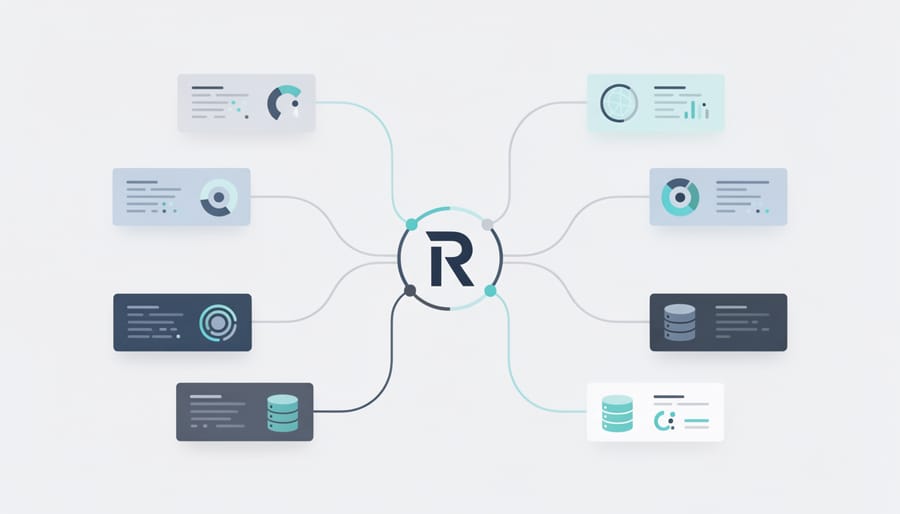
When you need AI capabilities in your existing systems but can’t afford a complete overhaul, the API wrapper method offers an elegant solution. This approach lets your R-based AI models run independently while communicating with other applications through RESTful APIs—think of it as building a translator between different software languages.
The star of this integration strategy is the plumber package, which transforms your R functions into web APIs with minimal effort. Instead of rewriting your entire system, you simply wrap your AI model in an API endpoint that other applications can call whenever they need predictions or analysis.
Here’s a practical example. Imagine you’ve built a customer churn prediction model in R, and your company’s main application runs on Python or Java. Rather than translating your entire model, you can expose it as an API:
First, install plumber with install.packages(“plumber”). Then create a file called api.R containing your model and prediction function. Add special comment annotations that plumber recognizes. For instance, above your prediction function, write comments like “#* @post /predict” to define the endpoint URL and “#* @param customer_data Customer information as JSON” to describe inputs.
Your function might load a pre-trained model using readRDS and return predictions based on incoming customer data. When you run plumber::plumb(“api.R”) and specify a port, your R model becomes accessible to any application that can make HTTP requests.
This method shines in scenarios where you need minimal disruption. Your data science team continues working in R while developers integrate the AI capabilities into existing workflows through simple API calls. The systems remain separate, making updates and maintenance straightforward—you can improve your R model without touching the main application.
The trade-off? You’ll need to consider server infrastructure and response times, especially under heavy load. However, for many organizations, this represents the perfect balance between leveraging R’s analytical strengths and maintaining their existing technology stack.
The Embedded Script Approach: AI Within Your Current Workflow
One of the most practical ways to incorporate AI into your existing systems is by treating your R scripts as modular components that can be called from other applications. This approach, known as the embedded script method, allows you to leverage R’s powerful analytical capabilities without rebuilding your entire infrastructure.
The fundamental technique involves using Rscript, a command-line utility that executes R scripts directly from your terminal or system calls. Think of it as a bridge between your main application and R’s analytical engine. For instance, a Python application can trigger an R script using subprocess calls, while Java applications might use ProcessBuilder. The R script runs independently, processes the data, and returns results that your application can then use.
Scheduled tasks offer another integration avenue, particularly useful for routine analytical processes. On Windows, you can use Task Scheduler, while Linux systems use cron jobs to run R scripts at predetermined intervals. This works exceptionally well for tasks that don’t require immediate responses, such as overnight data processing or weekly trend analysis.
Let’s consider a real-world scenario: imagine you manage an inventory system built in PHP or Java, and you want to add predictive analytics to forecast stock needs. Instead of rewriting your entire system, you could create an R script that analyzes historical sales data and generates demand forecasts. Your inventory application would pass current data to the R script via CSV files or database connections, the script runs its machine learning models, and outputs predictions that your main system reads back.
The inventory management system might call the R script nightly using a cron job, updating forecast tables in your database. During the day, your application simply reads these forecasts without knowing or caring that R generated them. This separation of concerns means your development team can maintain the main application while data scientists refine the predictive models independently.
This approach requires careful attention to error handling and data validation at integration points, but it offers tremendous flexibility without demanding massive architectural changes.
The Microservices Pattern: Scalable AI Components
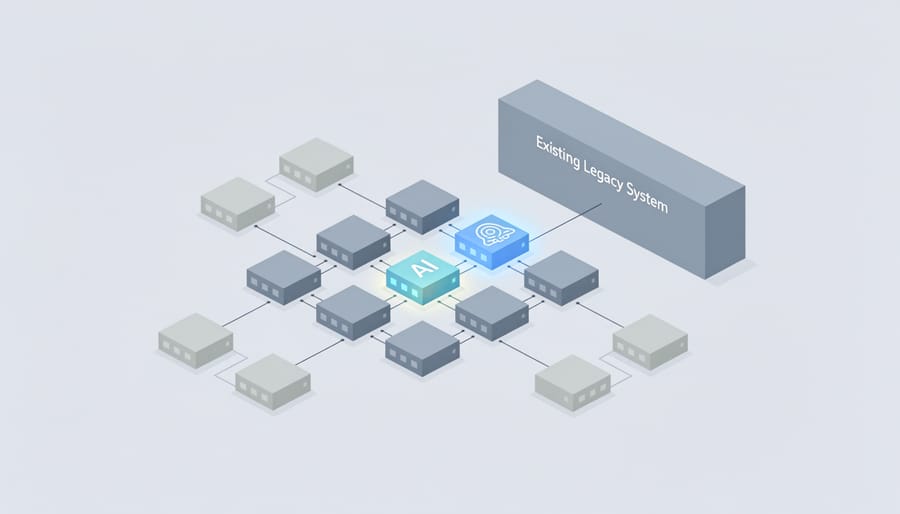
When your R-based AI models need to work alongside other systems or serve multiple applications simultaneously, the microservices pattern offers an elegant solution. This approach involves packaging your models into independent, self-contained units that communicate through standard protocols, making them accessible to any application regardless of the programming language it uses.
Think of microservices as specialized restaurants in a food court. Each restaurant operates independently with its own kitchen and menu, but all serve customers in the same space. Similarly, your R-based customer churn prediction model can run as its own service, completely separate from your main application, yet seamlessly integrate when needed.
Docker makes this possible by containerizing your R code. A Docker container packages everything your model needs—R itself, required libraries like caret or randomForest, your trained model files, and a simple API layer using the plumber package. This container becomes a portable unit that runs consistently anywhere Docker is installed.
Here’s how it works in practice: imagine you’ve built a customer churn model in R that predicts which customers might leave your service. You wrap this model with plumber to create REST API endpoints, then containerize it with Docker. Your customer service dashboard, built in Python or JavaScript, can now request predictions by sending customer data to your R microservice via HTTP requests. The R container processes the request, returns predictions, and your dashboard displays the results—all without either system knowing the other’s internal workings.
Among various model deployment approaches, microservices excel when you need scalability, independent deployment cycles, or want to maintain R models while modernizing other parts of your infrastructure. You can scale the churn prediction service independently during high-traffic periods without affecting other services.
This pattern particularly makes sense when serving multiple client applications, requiring frequent model updates without system-wide deployments, or working in polyglot environments where different teams use different languages. The trade-off is increased infrastructure complexity, so it’s best suited for production environments rather than simple internal tools.
Essential R Packages for System Integration
Connecting to Data Sources
Before your R-based AI models can make predictions, they need data. Whether that information lives in a PostgreSQL database, a REST API, or JSON files scattered across web services, R offers elegant packages to establish these connections.
The DBI package provides a unified interface for database communication. Think of it as a universal translator between R and database systems. Here’s a simple connection pattern:
“`r
library(DBI)
con <- dbConnect(RPostgres::Postgres(),
dbname = "your_database",
host = "localhost",
user = "username",
password = "password")
data <- dbGetQuery(con, "SELECT * FROM customer_data")
dbDisconnect(con)
```
For enterprise databases requiring ODBC drivers, the odbc package seamlessly handles connections to SQL Server, Oracle, and other corporate systems. It works particularly well when R needs to integrate with existing business intelligence infrastructure.
Web APIs present different challenges. The httr package manages HTTP requests, while jsonlite converts JSON responses into R-friendly data frames:
```r
library(httr)
library(jsonlite)
response <- GET("https://api.example.com/data")
parsed_data <- fromJSON(content(response, "text"))
```
These packages transform R from an isolated analytics environment into a connected hub, pulling data from wherever it resides. This connectivity is essential for AI applications that need real-time information or must integrate with existing software ecosystems.
Deploying AI Models
Once you’ve built and trained your AI model in R, the next challenge is making it accessible to other applications and users. Fortunately, several packages transform your R code into production-ready web services that can integrate seamlessly with existing systems.
The plumber package is perhaps the most popular solution. It converts your R functions into REST APIs using simple comments called decorators. You add special annotations above your functions, and plumber automatically generates endpoints that other applications can call via HTTP requests. This approach is intuitive for R users who don’t have extensive web development experience.
For high-performance requirements, RestRserve offers a faster alternative built on the Rserve protocol. It handles concurrent requests more efficiently, making it suitable for applications expecting heavy traffic or requiring millisecond-level response times.
OpenCPU provides a complete server environment specifically designed for scientific computing APIs. It includes built-in support for data streaming, temporary session management, and parallel processing.
When deploying, consider these key factors: authentication and security (never expose endpoints without proper access controls), monitoring and logging (track API usage and errors), scalability (will your service handle peak loads?), and maintenance (plan for model updates and versioning). Docker containers simplify deployment by packaging your R environment, dependencies, and code into portable units that run consistently across development, testing, and production environments.
AI and Machine Learning Tools
R offers several powerful packages that make building AI and machine learning models surprisingly straightforward. The tidymodels framework provides a consistent, user-friendly interface for the entire modeling workflow—from data preprocessing to model evaluation. Think of it as a unified toolkit that speaks the same language across different tasks. For those familiar with traditional approaches, the caret package remains a solid choice, offering access to hundreds of algorithms through a single, standardized interface.
When deep learning enters the picture, keras brings neural networks to R with an intuitive API that mirrors its Python counterpart. You can build sophisticated models without getting lost in implementation details. Here’s where things get particularly interesting: the reticulate package acts as a bridge between R and Python, letting you tap into Python’s extensive AI ecosystem directly from your R environment. Need to use a cutting-edge Python library that hasn’t made its way to R yet? Reticulate makes it possible to call Python functions, import libraries like TensorFlow or PyTorch, and even share data between the two languages seamlessly. This flexibility means you’re never locked into one ecosystem, giving you the best of both worlds when integrating AI capabilities into your existing systems.
A Step-by-Step Integration Example: Adding Predictive Analytics to a Sales System
Let’s walk through a realistic example of integrating predictive analytics into an existing sales system. Imagine your company uses a customer relationship management platform that tracks sales activities, but you want to add AI-powered lead scoring to help your team prioritize prospects.
Step 1: Extract Your Data
First, export your historical sales data from your CRM. This typically includes customer interactions, demographics, purchase history, and whether each lead converted. Most systems allow CSV exports, which R handles beautifully.
“`r
library(readr)
sales_data <- read_csv("sales_history.csv")
```
Step 2: Prepare and Explore Your Data
Clean your dataset by handling missing values and creating meaningful features. For lead scoring, you might calculate metrics like days since last contact, number of email opens, or website visits.
```r
library(dplyr)
sales_data_clean <- sales_data %>%
mutate(days_since_contact = as.numeric(Sys.Date() – last_contact_date),
engagement_score = email_opens + website_visits) %>%
na.omit()
“`
Step 3: Build Your Predictive Model
This is where building AI models in R shines. Use the caret package to train a model that predicts conversion probability. We’ll use a random forest algorithm because it handles various data types well and provides good accuracy.
“`r
library(caret)
train_index <- createDataPartition(sales_data_clean$converted, p = 0.8)
train_data <- sales_data_clean[train_index, ]
test_data <- sales_data_clean[-train_index, ]
model <- train(converted ~ engagement_score + days_since_contact + industry + company_size,
data = train_data,
method = "rf")
```
Step 4: Create an API Endpoint
Transform your model into a web service using the plumber package. This allows your existing sales system to send lead data and receive predictions.
```r
library(plumber)
#* Predict lead conversion probability
#* @param engagement_score
#* @param days_since_contact
#* @post /predict
function(engagement_score, days_since_contact) {
new_lead <- data.frame(
engagement_score = as.numeric(engagement_score),
days_since_contact = as.numeric(days_since_contact)
)
prediction <- predict(model, new_lead, type = "prob")
list(conversion_probability = prediction[2])
}
```
Step 5: Integrate With Your Sales System
Deploy your API to a server and configure your CRM to call it. When salespeople view a lead, the system sends a request to your R-powered API and displays the predicted conversion probability alongside other lead information.
This approach keeps your existing sales platform intact while adding intelligent capabilities. Your sales team now sees which leads deserve immediate attention, backed by data-driven predictions rather than gut feelings. The beauty of this integration is its flexibility—you can update the model without touching your CRM's code.

Common Integration Challenges and How to Solve Them
Performance and Speed Concerns
When integrating AI models into production systems, performance becomes critical. R can sometimes feel slower than compiled languages, but several strategies can dramatically improve execution speed without requiring you to abandon your R workflow.
Start with profiling your code using the profvis package to identify actual bottlenecks rather than guessing. You might discover that only 10% of your code consumes 90% of execution time, allowing you to focus optimization efforts where they matter most.
Caching is your first line of defense. The memoise package automatically stores function results, so repeated calls with identical inputs return instantly. This proves invaluable when serving predictions through APIs where users might request the same scenarios multiple times.
For computationally intensive operations, consider the data.table package instead of standard data frames. It handles large datasets with remarkable efficiency, often reducing processing time from minutes to seconds. Similarly, vectorize operations whenever possible rather than using loops.
When R’s native performance isn’t enough, leverage compiled code through Rcpp, which lets you write C++ functions that R can call directly. Many popular AI packages already use this approach under the hood.
Parallel processing offers another avenue for speed gains. The future and furrr packages make it straightforward to distribute work across multiple CPU cores, particularly useful when scoring many predictions simultaneously. For truly massive workloads, consider cloud-based solutions that can scale horizontally across multiple machines.
Security and Access Control
When deploying R-based AI models in production environments, security becomes paramount. Think of it as building a secure vault for your intelligent applications—you need multiple layers of protection to safeguard sensitive data and computational resources.
Start by never hardcoding credentials directly in your R scripts. Instead, use environment variables through the Sys.getenv() function or dedicated packages like keyring, which securely stores passwords in your operating system’s credential manager. For example, rather than writing your API key directly in code, store it externally and retrieve it at runtime.
For API endpoints created with Plumber, implement authentication middleware using JWT tokens or OAuth 2.0. The plumber package supports custom filters that validate requests before they reach your AI model. A simple authentication filter can check for valid tokens in request headers, rejecting unauthorized access attempts immediately.
In enterprise settings, consider wrapping your R services behind an API gateway like Kong or AWS API Gateway. These tools handle rate limiting, IP whitelisting, and SSL certificate management—essential protections that prevent abuse and ensure encrypted data transmission.
Role-based access control (RBAC) is equally critical. Define who can access which endpoints and with what permissions. Document these policies clearly and audit access logs regularly to detect unusual patterns.
Remember, security isn’t a one-time setup but an ongoing practice. Regularly update R packages to patch vulnerabilities, and always test security measures in staging environments before production deployment.
Version Control and Maintenance
When you’re integrating AI models built in R into production systems, proper version control and maintenance strategies become essential. This prevents the notorious “it works on my machine” problem that plagues many development teams.
Start by using renv, R’s dependency management tool. Think of renv as creating a snapshot of your entire project environment. It records every package version your model depends on, storing this information in a lockfile. When a colleague or production server needs to run your code, renv recreates the exact same environment. Simply initialize it with renv::init() in your project directory, and it automatically tracks your dependencies.
For model versioning, treat your trained models like code. Save each model iteration with meaningful version numbers and metadata including training date, performance metrics, and the dataset version used. Store these in a dedicated models directory with clear naming conventions like model_v1.2_2024-01-15.rds.
Establish update protocols by scheduling regular dependency audits. Check for security patches monthly using renv::update(), but test thoroughly in staging environments before pushing to production. Document any breaking changes and maintain a changelog that your team can reference when troubleshooting issues down the line.
When R Might Not Be Your Best Choice
While R excels at many AI tasks, honesty matters when choosing your tools. Think of R as a brilliant research scientist—incredible at analysis and experimentation, but not always the right fit for every production environment.
If you’re building applications that need split-second responses, R might feel sluggish. Real-time fraud detection systems processing thousands of transactions per second, or high-frequency trading platforms making microsecond decisions, typically benefit from languages like C++ or Rust. R wasn’t designed for these lightning-fast scenarios where every millisecond counts.
Similarly, if you’re planning to serve millions of concurrent users through a web application, R’s architecture can struggle. Think Netflix-scale recommendation engines or Facebook-level user interactions. These ultra-high-traffic situations often call for production-optimized frameworks in Python, Java, or Go that handle massive parallelization more gracefully.
Here’s the good news: you don’t need to choose exclusively. Many successful teams use R for what it does best—exploratory analysis, statistical modeling, and prototype development—then translate critical models into other languages for production deployment. This hybrid approach lets data scientists work in their preferred environment while engineers optimize for performance.
Consider R alongside other tools rather than as your only solution when building complex systems. Use it for the statistical heavy lifting and initial model development, then evaluate whether your specific deployment needs require transitioning to another language. This pragmatic approach maximizes R’s strengths while acknowledging its boundaries, ensuring you build systems that are both analytically sound and operationally robust.
Integrating AI capabilities into your existing systems with R is more achievable than you might think. Throughout this guide, we’ve explored practical methods ranging from API deployments to containerization, demonstrating that you don’t need to rebuild your entire infrastructure to harness AI’s power. The key is starting small—perhaps with a single predictive model wrapped in a simple Plumber API or a scheduled script that automates one repetitive task.
Remember the healthcare appointment system example? That started as a modest project addressing one specific problem. Your first integration doesn’t need to be groundbreaking; it simply needs to solve a real problem for your users or organization. As you gain confidence, you can gradually expand your AI implementations, learning from each iteration.
R’s rich ecosystem of packages, combined with its strong statistical foundation, positions it uniquely for the evolving AI landscape. While newer languages dominate headlines, R continues adapting and integrating seamlessly with modern tools like Docker, cloud platforms, and enterprise systems. The language’s accessibility makes advanced AI techniques available to professionals without deep computer science backgrounds.
The future of AI integration isn’t about choosing one perfect tool—it’s about leveraging the right combination of technologies for your specific needs. R deserves a place in that toolkit, especially when statistical rigor and rapid prototyping matter most.